1. Introduction
From here on, we assume the earlier fundamentals and focus on what those ideas look like once the “helper” lives in the kernel.
Part 4 focuses on detection and stealth from a design perspective: common detection surfaces, suspicious patterns, and how to avoid generating high-confidence signals (not “undetectable”).
If you haven’t read the earlier parts:
- Part 1: external user-mode (ESP/aim basics, world-to-screen, entry-level reversing)
- Part 2: internal user-mode (injection, hooks, in-process manipulation)
1.1 What This Article Covers
This part is about mechanics and lab design, not “bypass” steps.
By the end, you should be able to set up a lab that:
- loads a small test driver and captures its output (WinDbg or DebugView);
- understands why kernel code crashes (context, IRQL, paged vs non-paged);
- reasons about CR3 and page tables as “which address space am I looking at?”;
- uses a safe target process (the simulator) to validate pointer chains and read/write correctness.
What this part deliberately does not cover:
- instructions for targeting real anti-cheat protected games;
- kernel patching / hooking the OS;
- “anti-detection” techniques (that belongs in later parts, after the fundamentals land).
Table of Contents
1. Introduction
- 1.1 What This Article Covers
- 1.2 Who This Is For
- 1.3 Legal, Ethical, and Practical Warnings
2. Fundamentals & Setup
- 2.1 The Privilege Ladder
- 2.2 Virtual Memory, CR3 & Physical Pages
- 2.2.1 Physical Memory & Why Cheats Care
- 2.2.2 Kernel Address Space at a Glance
- 2.2.3 Where CR3 Comes From (Process Objects)
- 2.3 Execution Context & IRQL
- 2.3.1 Process Context
- 2.3.2 Attach and APCs
- 2.3.3 IRQL (Interrupt Request Level)
- 2.3.4 Paged vs Non-Paged Memory
- 2.3.5 How Context + IRQL Shape Designs
- 2.4 Access Paths From Kernel to Game Memory
- 2.4.1 Access Types Overview
- 2.4.2 Why Kernel Code Sees More Than User Mode
- 2.4.3 Type 1: Virtual Copy Using OS Helpers
- 2.4.4 Type 2: Attach and Read Virtual Addresses
- 2.4.5 Type 3: Page Tables and Physical Access
- 2.4.6 DMA and Hypervisors (Conceptual Only)
- 2.5 Safe Lab Environment
- 2.5.1 VMs, Snapshots, Fast Iteration
- 2.5.2 Test-Signing, Secure Boot, HVCI
- 2.6 Minimal VM Debugging Setup
- 2.6.1 Serial Kernel Debugging (VirtualBox + WinDbg)
- 2.6.2 Capturing DbgPrint (DebugView)
3. Kernel Drivers, Anti-Cheats & Cheats
- 3.1 What Is a Kernel Driver?
- 3.2 How Kernel Anti-Cheats Are Structured
- 3.2.1 User-Mode Agents
- 3.2.2 Kernel Drivers & Callbacks
- 3.2.3 VBS and "Below Ring 0" Layers
- 3.2.4 Anti-Reversing: Obfuscation and Virtualization
- 3.2.5 PatchGuard and Driver Signing
- 3.3 Detection Mindset: Surfaces, Signals, Blending In
- 3.4 Common Kernel Cheat Architecture
- 3.4.1 High-Level Structure: Driver + Controller
- 3.4.2 Responsibilities and Tradeoffs
- 3.5 Building Your Lab Driver
4. FPS Game Simulator
- 4.1 What You See at Startup
- 4.2 How to Use the Simulator in This Series
1.2 Who This Is For
This isn’t a first programming tutorial, but you don’t need prior kernel experience.
You should be comfortable with:
- C/C++ basics (pointers, structs, function pointers);
- reading x64 assembly at a basic reversing level (IDA/x64dbg);
- Part 1–2 concepts (process memory, modules, injection/hooks at a conceptual level).
Assume 64-bit Windows 10/11. A VM + snapshots + kernel debugging is the sane way to do this.
1.3 Legal, Ethical, and Practical Warnings
Kernel work is more tidious than usermode. A single bad pointer or translation can crash the OS, corrupt data, or leave your machine in a risky state.
Also: do not aim this at live online games or machines you don’t control. Modern anti-cheat stacks can collect signals beyond “in-game behavior,” and some of those signals persist across reinstalls.
Plain version:
-
Use VMs/lab boxes you own.
-
Expect BSODs; use snapshots and keep backups.
-
Don’t test on systems you don’t control.
-
If you find a real bug in a driver or anti-cheat component, treat it like a security issue and disclose responsibly.
2. Fundamentals & Setup
Before talking about anti-cheats, loaders, communication, and stealth, we need a shared baseline. This section covers what privilege levels (rings) actually are, how virtual memory, CR3, and physical pages fit together, how kernel code “sees” process memory and handles, and the main access paths from a kernel driver into game memory.
If you already live in WinDbg and kernel docs, skim this—everything later assumes this mental model.
2.1 The Privilege Ladder
CPUs don’t treat all code equally. They split execution into privilege levels (“rings”). Lower ring = more power = more damage if you screw up. On Windows, normal code lives in Rings 3 and 0. Rings 1 and 2 exist architecturally but are not used for general-purpose code.
| Ring | Who lives here | What they can do |
|---|---|---|
| 3 | Normal apps: games, browsers, tools | No direct hardware/kernel access; must use syscalls |
| 2 | Architecturally defined, unused on Windows | Out of scope here |
| 1 | Architecturally defined, unused on Windows | Out of scope here |
| 0 | Kernel: Windows core, drivers, AC/EDR | Full access to memory, devices, privileged instructions |
| −1 | Hypervisor layer | “Below the OS” |
| −2 | Firmware / SMM | Real in practice, out of scope here |
In this article, We care about Ring 0: you’re dropping a driver next to anti-cheats and security products. Assume at least one other kernel component (or a hypervisor) is watching. You’re not alone “at the top.”
2.2 Virtual Memory, CR3 & Physical Pages
Windows doesn’t let processes touch raw physical RAM directly. Everything goes through virtual memory.
Your game and tools read and write virtual addresses (VAs) like 0x7FF6ABCD1234. The CPU translates those VAs into physical addresses (PAs) via multi-level page tables. The CR3 register selects which page-table tree is active for the current context (CR3 includes a physical base plus low-bit flags; on systems using PCID, some bits are used for that too). Virtual addresses are what code uses; physical addresses are where the bytes actually sit. Page tables connect them.
On x64 Windows the chain is:
CR3 ─► PML4 ─► PDPT ─► PD ─► PT ─► physical page
The important part (for the basics, at least) isn’t memorizing/fully understanding the names.. it’s the consequence: CR3 selects the mapping. Each process has its own CR3-like root for its address space. Switch CR3, and the same VA can point at completely different physical memory.
When your driver wants to read the game’s memory “the way the game sees it,” you have two broad options:
-
let Windows do the translation for you (virtual access into that process), or
-
treat the game’s address space as data: use its CR3, walk the page tables yourself, then touch the underlying physical pages.
2.2.1 Physical Memory & Why Cheats Care
The last step—“PT → physical page”—is where physical RAM shows up. Each entry in the final page table (PT) points at a page frame, a 4 KB chunk of physical memory. A physical address is basically:
physical_address = page_frame_base + offset_within_page
If you know the game’s CR3 and a VA inside the game, you can walk its page tables from CR3 down to the final entry, extract the page frame number (PFN), then add the offset to get the final PA.
Why this matters in cheat research is the difference in surfaces:
-
Virtual reads (user mode) go through OS APIs and handles: “here’s a handle to process X, copy N bytes from address Y.”
-
Physical reads (kernel) can work from CR3 + page tables: resolve VA → PA, then read/write RAM at that PA without needing a user-mode handle.
You still need CR3 and the tables to find which physical page backs a VA, but once you have the PA you’re dealing with actual RAM.
2.2.2 Kernel Address Space at a Glance
On 64-bit Windows, every process sees a split virtual address space:
- a lower user-mode range, unique per process (where the game’s code/data live), and
- an upper kernel-mode range, shared across all processes (kernel, drivers, many system mappings).
Rough mental map (not to scale; exact split depends on configuration):
0x0000'0000'0000'0000  ────────────────┐
   ... user-mode range ...             │ per-process
0x0000'7FFF'FFFFFFFF  ────────────────┘

0xFFFF'8000'0000'0000 ────────────────┐
   ... kernel-mode range ...           │ shared
0xFFFF'FFFF'FFFFFFFF ────────────────┘
From user mode, you can only touch user addresses your process has mapped. From kernel mode, you can touch the shared kernel range, and you can access user ranges through the right mechanisms. That shared upper range is also why the kernel can enumerate and reason about all processes.
This split is the background for the design choice you’ll keep running into: “operate on game VAs (with the right context)” versus “stay in kernel/physical views and treat the game as data.”
2.2.3 Where CR3 Comes From (Process Objects)
Windows tracks each process with an internal structure called EPROCESS. There’s one EPROCESS per process and it’s the kernel’s record for that process: PID, security context, handle table, and more. One field represents the root of that process’s address space (the directory-table base), which is what ends up in CR3 when the process runs.
You don’t need offsets here. Just keep the mapping straight:
process object → address-space root → CR3
When the scheduler runs a thread in process P, CR3 is set to that address-space root. When it switches away, CR3 changes.
For a lab driver, the mental steps are simple: find the game’s EPROCESS, get its address-space root, and use that whenever you interpret game VAs.
Later, when we talk about defended environments, we’ll treat that “root” as an untrusted input. For now, assume it’s honest so you can learn the mechanics.
2.3 Execution Context & IRQL
Kernel code never runs “in a vacuum.” Every instruction runs with:
-
a current process context (which process’s page tables CR3 points at), and
-
a current IRQL (Interrupt Request Level).
Together they decide what addresses are meaningful, which memory and APIs are legal to touch, and whether taking a page fault is even allowed.
A page fault is what happens when you touch a VA whose page isn’t present (or access is forbidden). At low IRQL the kernel can handle that. At high IRQL, page faults are essentially not allowed—hit one and you’re very close to a bugcheck.
Ignore context + IRQL and you end up with designs that look fine on paper and explode the first time you run them.
2.3.1 Process Context
When kernel code runs, CR3 points to exactly one process’s page tables. That process is your current context.
That matters because a user-mode VA like 0x7FF6... only “means something” inside the process whose page tables are active. In the game’s context, dereferencing that VA hits what the game sees. In another context, the same number can map somewhere else or not map at all.
Different execution paths tend to imply different contexts:
| Execution path | Process context | Notes |
|---|---|---|
| IOCTL dispatch | Calling process (controller) | Predictable, stable |
| System thread | System process |
No game user VAs without attach/physical |
| Work item | System process |
Runs later at PASSIVE in System context |
| DPC (Deferred Procedure Call) | Arbitrary | Whatever was running when DPC fired |
| Timer callback | Arbitrary | Same as DPC |
| Process/thread callbacks | Varies | Not guaranteed to be the target |
| Interrupt handler | Arbitrary | Whatever was interrupted |
In practice:
-
In IOCTL handlers you’re in your controller’s context, so game VAs are meaningless until you attach or translate via CR3.
-
Some callbacks might already run in game context and allow direct deref—but that’s also where anti-cheats pay the most attention.
-
In DPCs/timers/interrupts you don’t control context, so user-mode VAs are a liability and physical views are often the safer model.
2.3.2 Attach and APCs
Windows gives you a primitive for “temporarily run in another process’s view”: attach.
Conceptually:
- you tell the kernel: “treat this thread as if it belongs to process X,”
- CR3 switches to X’s page tables,
- the process’s user VAs become meaningful for direct deref,
- then you detach and CR3 goes back.
Rules don’t change just because attach is convenient:
- only at low IRQL (
PASSIVE_LEVEL, sometimesAPC_LEVEL), - never from DPCs/timers/interrupt handlers,
- you must hold a valid reference to the target process,
- repeated attach/detach patterns are easy to spot.
APCs matter because they’re one way Windows schedules work onto threads later, and some paths run with APCs disabled. That limits where you can safely attach or do anything that might block.
TLDR: attach is the straightforward way to read/write game VAs, but it comes with IRQL limits and a visible behavioral pattern. “Pure physical” designs exist largely because they don’t need to attach.
2.3.3 IRQL (Interrupt Request Level)
At DISPATCH_LEVEL and above, you must not:
-
wait on events/mutexes/semaphores,
-
take page faults (touching paged memory here can bugcheck immediately),
-
attach into another process,
-
call routines that might sleep or touch pageable code.
You can:
-
touch non-paged memory,
-
queue work items to run later at PASSIVE_LEVEL,
-
use mappings that are guaranteed resident.
Most helpers that copy between address spaces (or might fault pages in) are only valid at PASSIVE_LEVEL (sometimes APC_LEVEL). Treat them as off-limits in DPC/timer/ISR code.
2.3.4 Paged vs Non-Paged Memory
Kernel memory comes in two buckets:
- Paged pool: can be swapped out.
- Non-paged pool: always resident. Mandatory for anything touched at high IRQL or under spinlocks.
Practical rules:
-
Buffers used by DPCs/timers → non-paged.
-
Data under spinlocks → non-paged.
-
State only touched at
PASSIVE_LEVEL→ can live in paged pool.
This is just page faults again: paged memory can fault (fine at low IRQL), but at high IRQL faults are forbidden. If your design involves physical reads, shared buffers, or any high-IRQL path, assume non-paged unless you can prove otherwise.
2.3.5 How Context + IRQL Shape Designs
Context and IRQL decide what’s even possible.
- IOCTL path: runs at PASSIVE_LEVEL in your controller’s context. You can attach, wait, and use the “nice” helpers. To see the game you either attach into it or treat it as data (CR3 + VA→PA).
- DPC/timer path: runs at DISPATCH_LEVEL in arbitrary context. No attach, no waits, no paged memory. You’re limited to non-paged state and mappings you prepared ahead of time (including physical views).
- Game-context callbacks: can run at PASSIVE_LEVEL while the game is active. Direct deref is possible, but you’re operating inside the process anti-cheats care about most.
There’s no universally best combo. You always trade capability, complexity, and noise. The only consistently bad option is pretending context/IRQL don’t exist.
2.4 Access Paths From Kernel to Game Memory
When you read or write game memory from a driver, you’re always solving the same problem in two steps:
-
Interpret the address — use the OS’s virtual view, or treat CR3 + page tables as data and resolve a physical address yourself.
-
Move the bytes — ask the OS to copy, or use your own mappings / MDLs / physical access.
Everything else is a variation on those two decisions.
2.4.1 Access Types Overview
From Ring 0, your access patterns roughly fall into these types:
| Type | Mental model |
|---|---|
| Virtual copy via OS helpers | “ReadProcessMemory, but inside a driver.” |
| Attach and read virtual addresses | “Pretend to be the game for a bit.” |
| Page tables + physical access | “Treat the address space as data.” |
| DMA / external devices | “Let hardware read/write RAM for you.” |
| Hypervisor-level access (EPT/NPT) | “Live under Windows and control paging.” |
We’ll use the first three later. DMA and hypervisors are listed so you know where they fit.
2.4.2 Why Kernel Code Sees More Than User Mode
User-mode code is stuck inside one process. It only sees that process’s VAs, and to touch another process it needs a handle and a syscall—both things the kernel (and any anti-cheat) can observe.
A handle is a kernel-managed reference to an object (process, file, section, …) plus specific access rights. ReadProcessMemory is basically: “using this process handle, copy these bytes for me.”
A driver doesn’t have to play that game. It can locate processes through EPROCESS and related kernel mechanisms, choose which address space is “current” (attach, System context, etc.), or ignore virtual views entirely and translate through page tables.
That’s the real advantage of Ring 0: more ways to get “the bytes behind this VA” than Ring 3 ever gets.
2.4.3 Type 1: Virtual Copy Using OS Helpers
Here you ask Windows to do the work: “copy N bytes from process P at VA X into my kernel buffer,” or the reverse. Windows resolves X through P’s page tables, applies whatever checks are relevant, and performs the copy.
This is driver-side ReadProcessMemory: you see the same VA view the game sees, paging still works, and you usually need to be at PASSIVE_LEVEL (or at most APC_LEVEL) with a valid process reference.
It’s the simplest approach to reason about and a good starting point for a lab driver. The tradeoff is visibility: cross-process copies go through OS paths the kernel and anti-cheats can monitor, and you’re tied to low IRQL and specific execution paths.
2.4.4 Type 2: Attach and Read Virtual Addresses
Here you don’t ask Windows to copy—you read as if you were the game.
Typical flow:
-
Attach your thread to process P.
-
CR3 switches to P’s page tables.
-
Dereference P’s VAs directly (or call helpers that assume “current process”).
-
Detach when done.
There’s no explicit “copy from process X” request; you’re just following pointers. You’re still limited to low IRQL and normal paging rules, and your code runs in the game’s context—which is exactly where anti-cheats tend to watch hardest.
For lab work, attach is great for validating pointer chains quickly. The limits are equally real: repeated attach/detach is a detectable pattern, you can’t do it from high IRQL paths, and you’re sharing context with the protected process.
2.4.5 Type 3: Page Tables and Physical Access
This path treats the target address space as data. You translate a target VA into a PA using the page tables, then read or write bytes at that PA.
A VA is what pointer chains give you (0x7FF6...). A PA is where the bytes sit in RAM. CR3 selects the page-table tree. CR3 also carries low-bit flags, so you mask those off to get the root table base you’ll walk.
VA → PA (the walk)
With 4 KB pages on x64, a canonical 48-bit VA splits into four indices plus an offset:
┌────────┬────────┬────────┬────────┬────────────┐
│ PML4   │ PDPT   │  PD    │  PT    │   Offset   │
│ 9 bits │ 9 bits │ 9 bits │ 9 bits │  12 bits   │
└────────┴────────┴────────┴────────┴────────────┘
  [47:39]  [38:30]  [29:21]  [20:12]    [11:0]
The walk is repetitive: index a table, read an 8-byte entry, follow it to the next table. CR3 points at the PML4. Bits [47:39] select the PML4 entry that leads to the PDPT, [38:30] selects the PDPT entry that leads to the PD, [29:21] selects the PD entry that leads to the PT, and [20:12] selects the final PTE. Add offset [11:0] and you have the PA.
Two safety rules save hours of “my offsets are wrong” debugging:
-
if Present (bit 0) is clear, stop—there’s no valid translation at that moment;
-
if the entry has reserved/invalid bits set, stop.
Large pages are the one wrinkle. A PD entry can map 2 MB directly (low 21 bits are the offset). A PDPT entry can map 1 GB directly (low 30 bits are the offset). When you hit a large page, the walk ends early and the offset width changes.
Touching the PA
You can’t dereference a physical address like a normal pointer. You need a mechanism to access it:
-
copy bytes into a non-paged buffer via a helper,
-
map the physical range into kernel virtual space if you’re going to touch it repeatedly,
-
or build/map an MDL for more constrained paths.
Keep translation and byte movement as separate steps in your code and in your debugging. It makes failures obvious.
When the numbers are wrong
Most early failures are boring:
-
the VA is non-canonical (bad pointer / wrong field),
-
the walk “works” but you used the wrong CR3 (consistent but wrong data),
-
or you ignored Present=0 and read garbage from an unmapped entry.
Sanity-check against a known value from your simulator before chasing long pointer chains. If simple fields don’t match, suspect translation first.
Present=0 also doesn’t always mean “invalid VA.” It can mean “valid, but not resident.” Virtual access paths can fault pages in at low IRQL. Pure physical access can’t—you fail the read and move on. Handle that cleanly by returning “failed to read” instead of inventing data.
In this series we assume the page-table root is honest so you can learn mechanics and validate end-to-end. Hardening against dishonest roots is a later topic.
2.4.6 DMA and Hypervisors (Conceptual Only)
Two other access styles show up in real cheats and anti-cheats, but we won’t implement them here.
-
DMA / external devices
Hardware reads/writes RAM directly via DMA. Modern systems use IOMMUs (VT-d) to fence devices, and anti-cheats can watch for suspicious mappings. The details are deep and out of scope. -
Hypervisors / EPT / NPT
A hypervisor under Windows controls a second layer of translation. It can observe or alter memory views without participating in the OS’s normal process/handle mechanisms. Again: same paging concepts, different vantage point.
2.5 Safe Lab Environment (VMs, Test-Signing, Security Features)
Kernel experiments belong in a lab, not on your daily gaming machine. Assume:
- you are working on machines you control (ideally VMs);
- you are willing to crash them, revert snapshots, and reinstall;
- you are not connecting modified clients to live online services.
2.5.1 VMs, Snapshots, Fast Iteration
Do this in a VM. You want a workflow where crashes are routine and recovery is a snapshot, not a reinstall. Practical setup:
- Create a clean VM on the Windows build you care about, then snapshot it.
- Use a shared folder so your build output lands directly in the VM.
- Keep a one-click “lab launch” script (open DebugView, start the sim, start your controller, load/unload the driver).
The exact tools don’t matter. The goal is a tight loop:
build → copy → run → read logs → revert (if needed)
2.5.2 Test-Signing, Secure Boot, HVCI / Memory Integrity
On modern 64-bit Windows, loading a custom driver isn’t just a technical problem—it’s often a policy/configuration problem.
In a lab VM, you typically want a setup that lets you iterate fast. The common approach is enabling test signing:
bcdedit /set testsigning on
If that command fails with a message like ‘The value is protected by Secure Boot policy,’ Secure Boot is preventing that change on that machine. In a lab VM, you usually disable Secure Boot so you can test drivers without fighting the boot policy.
Separately, Memory Integrity (HVCI) is a security feature that tightens kernel code-integrity rules. It can block or constrain some drivers depending on how they’re built and signed. For early learning and debugging, it’s normal to keep it off in the VM and turn it on later once the basics are stable.
Real-world constraint: on locked-down Windows machines (common on managed work PCs, but not limited to them), application allowlisting (WDAC / App Control for Business) can explicitly restrict which drivers are trusted. In that setup, a hobby/test driver won’t load unless it’s signed and allowed by the machine’s policy. That’s not a bug in your code; it’s the environment doing what it was configured to do.
2.6 Minimal VM Debugging Setup (WinDbg + DbgPrint)
You don’t want to debug kernel code blind. Minimum setup:
A kernel debugger path (WinDbg attached to the VM) so a crash gives you a stack trace, not guesswork.
A simple logging path so you can see driver output during normal runs.
DebugView can capture kernel DbgPrint output without attaching a live kernel debugger, which is often enough for early bring-up and sanity checks. For repeatable labs, keep the detailed step-by-step (VirtualBox serial setup, registry filter notes) in an appendix so the main article stays about concepts, not vendor UI.
2.6.1 Serial Kernel Debugging (VirtualBox + WinDbg Example)
Example flow for VirtualBox; adapt as needed.
-
Inside the VM (as admin), enable kernel debug over COM:
bcdedit /debug on
bcdedit /dbgsettings serial debugport:1 baudrate:115200
Reboot the VM.
-
Configure the VM’s serial port in VirtualBox:
-
Enable Serial Port.
-
Port Number: COM1.
-
Port Mode: Host Pipe.
-
Port/File Path:
\\.\pipe\kd_win10vm.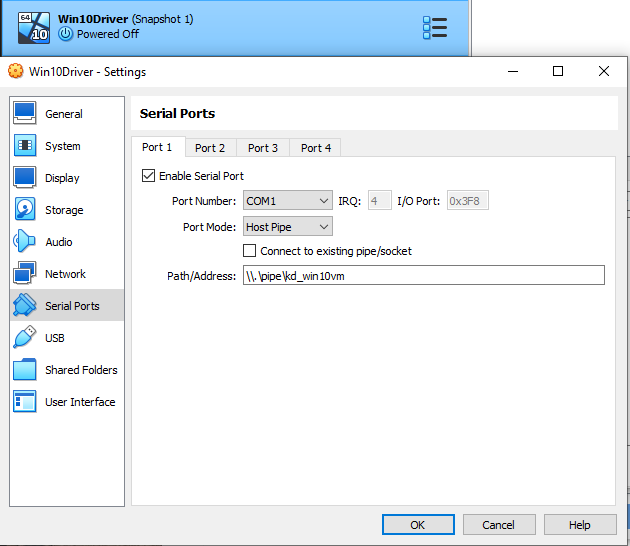
-
-
On the host, install and run WinDbg (Preview or classic).
-
Connect WinDbg to the VM:
-
File → Kernel Debug… → COM.
-
Connection string:
com:port=\\.\pipe\kd_win10vm,baud=115200,pipe,reconnect -
Boot/reboot the VM.
-
When WinDbg breaks in at boot, type
gand press Enter to let the guest continue.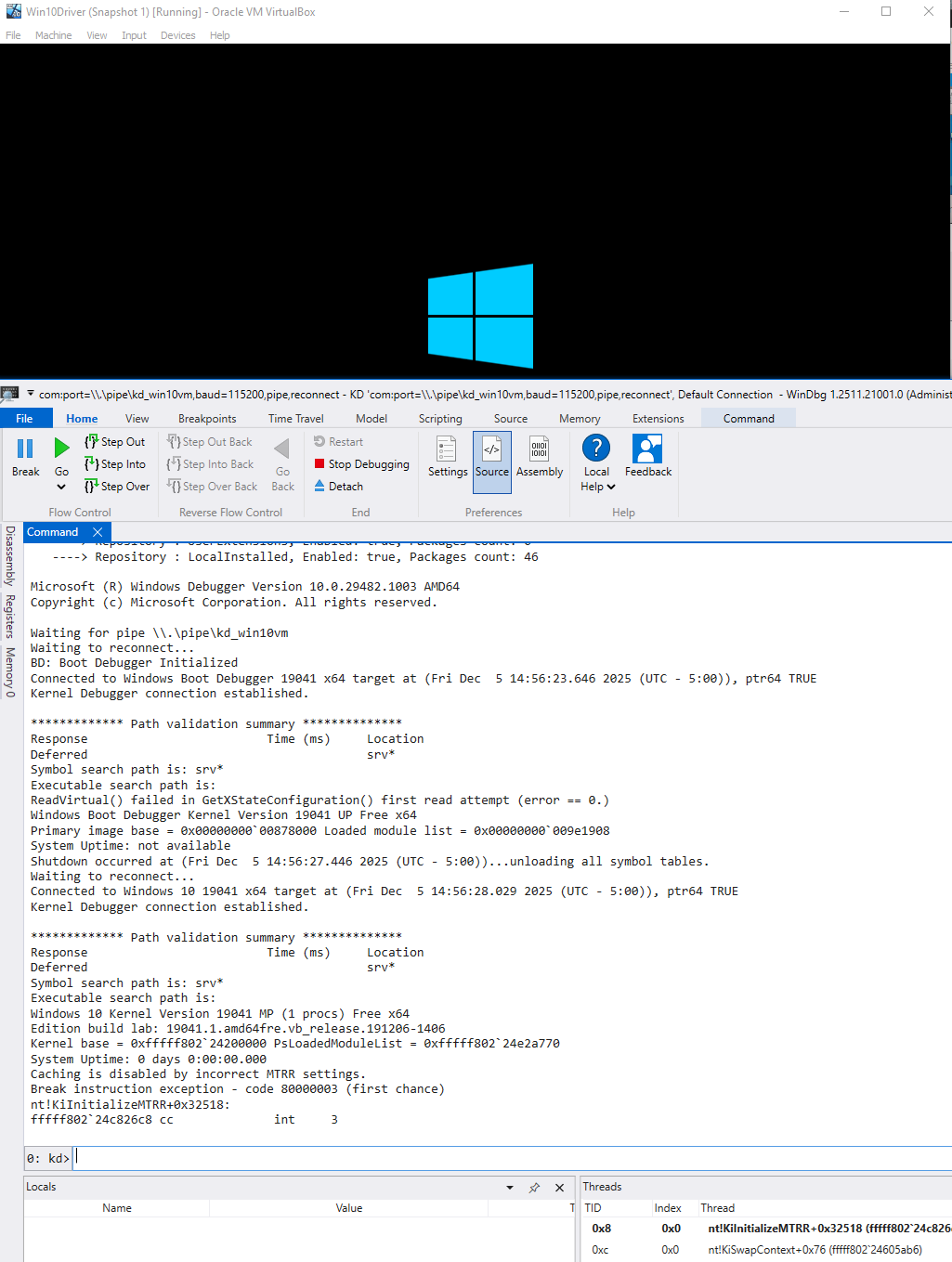
-
Once this works you can break on BSODs, inspect call stacks and memory, and set breakpoints in your driver around DriverEntry or other routines.
2.6.2 Capturing DbgPrint Inside the VM (DebugView)
WinDbg is for breakpoints and crash stacks. For day-to-day bring-up, you also want simple “print logs and keep running” output.
The quickest tool is DebugView (Sysinternals). It can capture kernel DbgPrint output locally (no live kernel debugger required), but two things must be true:
- Run DebugView as Administrator.
- Enable Capture → Capture Kernel.
If you still don’t see any kernel output, your system may be filtering DbgPrint. In a lab VM you can enable a broader debug print filter:
- Set this registry value (and then reboot):
    [HKEY_LOCAL_MACHINE\SYSTEM\CurrentControlSet\Control\Session Manager\Debug Print Filter]
    "DEFAULT"=dword:0000000f
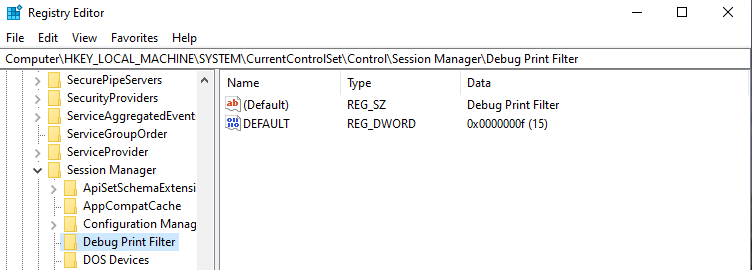
Re-open DebugView as Administrator, enable Capture Kernel, and load/run your driver again.
Lab note: this is a debugging convenience. Don’t leave verbose kernel debug printing enabled on machines you care about; it can add overhead and it makes debug output easier to collect.
For user-mode trace output, use DebugView++ or your usual logger and keep your UM logging macros there.
3. Kernel Drivers, Anti-Cheats & Cheats
This chapter is the cast list: who lives in Ring 0, how anti-cheats are layered, and where a kernel-backed memory tool fits. When this chapter says “our driver” or “controller”, it’s talking about the reference design for this series: a small lab driver plus a user-mode controller connected by some KM↔UM bridge.
If you’re already comfortable with Windows drivers and modern anti-cheat stacks, skim and treat this as a reference.
3.1 What Is a Kernel Driver?
A kernel driver is code that runs in Ring 0 (usually shipped as a .sys). Windows loads it, calls DriverEntry once to initialize, and after that the driver only runs when the OS calls into it: an I/O request, a callback you registered, a worker routine you queued, and so on.
Drivers come in different wrappers (WDM, KMDF, minifilters). In this series, the wrapper isn’t the point. The point is what Ring 0 gives you:
- you execute inside the kernel address space;
- you can observe system state across processes;
- you can access memory through kernel mechanisms (either by operating in the right context, or via translation/mapping);
- you can expose a narrow interface back to user mode (IOCTLs, shared sections, events).
That power is why Windows makes kernel code expensive to introduce and risky to mess with at runtime: signing policy (often tightened by Secure Boot and VBS/HVCI), PatchGuard-style integrity checking, and constant monitoring by security software.
So when this chapter says “a driver,” read it as code executing in Ring 0. The load method matters later because it changes constraints and leaves different artifacts, not because it changes what Ring 0 code is.
3.2 How Kernel Anti-Cheats Are Structured
Modern anti-cheat is layered. A common stack looks like this:
- User mode: code inside or alongside the game (DLL and/or service/helper).
- Kernel mode: a driver that provides system-wide visibility and enforcement.
- Backend: collects telemetry and makes decisions over time.
- Sometimes: VBS/hypervisor-backed enforcement, depending on product and machine configuration.
No single check is “the detection.” The strength usually comes from combining multiple weak signals across different surfaces (process, memory, drivers, timing, configuration).
3.2.1 User-Mode Agents
User mode has the best view of the game process itself: loaded modules, unusual executable memory, integrity checks, and suspicious tooling around the game.
Common jobs:
| Surface | What it looks for |
|---|---|
| Module / region inspection | Unexpected DLLs, overlays, injected code, executable heaps, odd RX/RWX regions |
| Handle scanning | External processes holding high-privilege access to the game (process/thread handles) |
| Integrity checks | Hook-shaped edits: inline detours, IAT/EAT changes, trampoline stubs, modified code/data pages |
| Environment checks | Debuggers, test-signing/debug flags, suspicious drivers/tools, unusual VM fingerprints/config |
User mode can’t see raw physical memory, and it can’t directly police kernel-only state. But it has perfect visibility into the game’s own address space — and into your user-mode footprint: your controller process, your handles, your injected modules, your overlays.
A kernel-backed approach changes which signals are visible in user mode, but it doesn’t make signals disappear. It doesn’t make the user-mode signals disappear; it just changes which signals you generate, and how easy they are to correlate.
3.2.2 Kernel Drivers & Callbacks
Kernel anti-cheats usually avoid “scan everything constantly.” Instead, they lean on OS choke points where high-signal events already occur and where enforcement is possible:
- process / thread activity (creation patterns, start locations, relationships);
- image mapping (what code gets mapped, where, and when);
- access decisions for sensitive objects (who can open the game process/threads or protection components with powerful rights).
That last point matters because Windows is built around kernel objects and access rights. If a defender can observe and restrict “who gets what access,” they often don’t need to brute-force scan memory to get useful signal.
These callback paths also run under constraints you must design around:
- the current process context is not guaranteed to be the target;
- some paths run with tighter execution rules (timing, APC state);
- they have strict time budgets, so heavy work stands out.
Practical rule: do minimal work in the callback, capture metadata, and defer heavy work to safe PASSIVE_LEVEL execution.
3.2.3 Anti-Reversing: Obfuscation and Virtualization
Anti-cheat code is often designed to resist analysis: packing, obfuscation, self-checks, and sometimes virtualized routines (logic executed by an interpreter). The consequence is practical, not mysterious: reversing takes longer, and assumptions break more often across updates.
3.2.4 PatchGuard and Code Integrity
Two Windows constraints shape what is stable in Ring 0:
PatchGuard (Kernel Patch Protection) periodically verifies protected kernel state and can bugcheck if it detects tampering (e.g., 0x109). Coverage varies by build, so kernel patching is brittle and update-sensitive.
Code integrity policy controls which kernel drivers are allowed to load and execute. Secure Boot strengthens the trust chain; VBS/HVCI can tighten enforcement; and driver allowlisting (WDAC / App Control for Business) can explicitly restrict which drivers are trusted. On locked-down machines, a custom driver may simply not load unless it is signed and allowed by policy.
3.3 Detection Mindset: Surfaces, Signals, “Blending In”
Instead of memorising a giant list of checks, think in terms of surfaces and signals.
A detection surface is any subsystem you touch that the defender can observe over time:
-
drivers and executable pages;
-
devices, IOCTLs, shared memory;
-
processes, threads, and handles;
-
overlays and window/compositor state;
-
memory layout, CR3 behavior, paging patterns;
-
configuration (HVCI, debug flags, vulnerable drivers);
-
telemetry (ETW, vendor logs, backend analytics).
Every feature you add should trigger two questions:
-
Where does this leave traces?
(Which surfaces, in user mode, kernel, and maybe hypervisor?) -
How strong is that signal for a defender?
(Is it a one-bit “obvious cheat” flag, or just one weak indicator they’d have to correlate with others?)
“Undetectable” is not a realistic goal. The realistic goal is to understand what produces strong, cheap-to-measure signals and either avoid those patterns or accept the cost.
3.4 Common Kernel Cheat Architecture
So now, what does a kernel-backed memory tool usually look like?
Almost all modern designs reduce to:
-
a kernel driver in Ring 0;
-
a user-mode controller in Ring 3;
-
some bridge between them.
Everything else — loaders, communication tricks, hiding — is plumbing around that core layout.
3.4.1 High-Level Structure: Driver + Controller
At a distance, a kernel-backed cheat looks like a tiny client–server system on the same machine:
[ Ring 3 Controller / GUI / Logic ]
               ↑
        KM ↔ UM bridge   (shared memory, IOCTL, doorbell, etc.)
               ↓
[ Ring 0 Kernel Driver (R/W engine) ]
               ↓
        [ Game Process Memory ]
-
The driver is the privileged backend.
-
The controller is the UI + game logic.
-
The bridge is the protocol between them.
The controller should not be spamming ReadProcessMemory directly. Instead it:
-
Builds a small batch of operations (“read local player, view matrix, entities…”).
-
Sends that batch to the driver.
-
Receives a compact snapshot and renders/aims based on that.
The driver provides a narrow set of privileged primitives: virtual/physical memory access, maybe a few translation helpers and tiny bits of state (PID, base, CR3, some caches). Everything “clever” happens in user mode.
3.4.2 Lifecycle & Runtime Flow
A kernel-backed tool has a lifecycle. Treating it as “load and loop forever” is how you get crashes and loud artifacts.
-
Privileged component up: initialize state and the KM↔UM interface, then return. After that, work happens only on controlled entry points (dispatch routines, queued work, registered callbacks).
-
Controller up: connect, verify protocol/version, and enforce a minimal “expected caller only” gate so accidental callers fail closed.
-
Target stable: wait until the target process (and any protection layer you’re observing) has finished initializing; then resolve the minimal identifiers you need (PID/module base, address-space root if applicable).
-
Steady state: controller sends batched requests (“read these fields”), privileged side returns a compact snapshot, controller renders/decides from snapshots (not scattered reads).
-
Shutdown / panic: controller stops sending and tears down visible UI; privileged side unloads cleanly or stops servicing requests and clears sensitive state.
Variants: some designs split the user-mode side into multiple roles (UI, data worker, presentation layer), or move some logic “in-process” for convenience. The lifecycle doesn’t change: you still want a clear bring-up order, stable targeting before polling, batched I/O, and a clean stop path.
3.4.3 Responsibilities and Tradeoffs: Kernel vs User Mode
Once you fix the “driver + controller + bridge” picture, the main design question is "what lives where?"
Kernel side (Ring 0):
-
Keep it small, boring, and mechanical:
-
memory R/W primitives (virtual and/or physical);
-
translation helpers (VA→PA, pointer chains);
-
minimal targeting/bookkeeping (PID, CR3, a few caches).
-
-
Avoid:
-
big feature logic;
-
complicated state machines;
-
anything that relies on fancy timing or thread choreography.
-
User side (Ring 3):
-
Put almost everything else here:
-
game logic, filters, prediction, aimbot modes;
-
UI, menus, hotkeys;
-
overlay rendering;
-
configuration, logging, experimentation.
-
Tradeoffs:
-
Stability: the more logic in Ring 0, the easier it is to crash the box.
-
Debuggability: user-mode bugs are annoying; kernel bugs are BSODs.
-
Stealth vs surface area: every extra subsystem you touch in Ring 0 is another detection surface.
Rule of thumb: the driver should feel like a small, strict “privileged syscall server”; the controller should feel like the actual application.
3.4 Building Your Lab Driver
This series assumes a small x64 lab driver built with Visual Studio + the WDK (a plain “Kernel Mode Driver (Empty)” project is fine). Build x64/Release for testing so your debug output matches what you’ll actually run.
DriverEntry is an initializer, not a main loop. It sets up state, registers dispatch routines/interfaces, and returns. Repeated work should run in controlled execution paths where you can reason about context and IRQL (dispatch routines, queued work, etc.), not in a while (true) inside DriverEntry.
Minimal shape:
extern "C"
NTSTATUS DriverEntry(PDRIVER_OBJECT DriverObject, PUNICODE_STRING RegistryPath)
{
 UNREFERENCED_PARAMETER(DriverObject);
 UNREFERENCED_PARAMETER(RegistryPath);
 return STATUS_SUCCESS;
}
4. FPS Game Simulator
Repo: https://github.com/bobbuilder123/fps-pointer-chain-target
You need something safe and predictable to point your kernel experiments at. Running a real anti-cheat-protected game in VMs just to debug KM↔UM comms or CR3 logic is noisy, slow, and adds moving parts you don’t control.
This simulator is that target: a small x64 console process that looks like an FPS from your cheat’s point of view. There is no 3D rendering; the “game” is a fixed memory graph you can read and write:
- fixed, documented structs (plain POD);
- a clear pointer chain from
BASEdown toGameState → World/Camera → Player[MAX_PLAYERS]; - prints
PID,BASE, offsets, and per-run addresses/values; - optional “live game” behaviour (tick-driven state changes) when enabled.
You build it once, drop it into each VM, and reuse it as you evolve your loader, driver, and controller.
Right now, the camera/view data exists to exercise pointer chains and reads/writes. A more “ESP-correct” world (better view-angle + world-to-screen assumptions) can be added later.
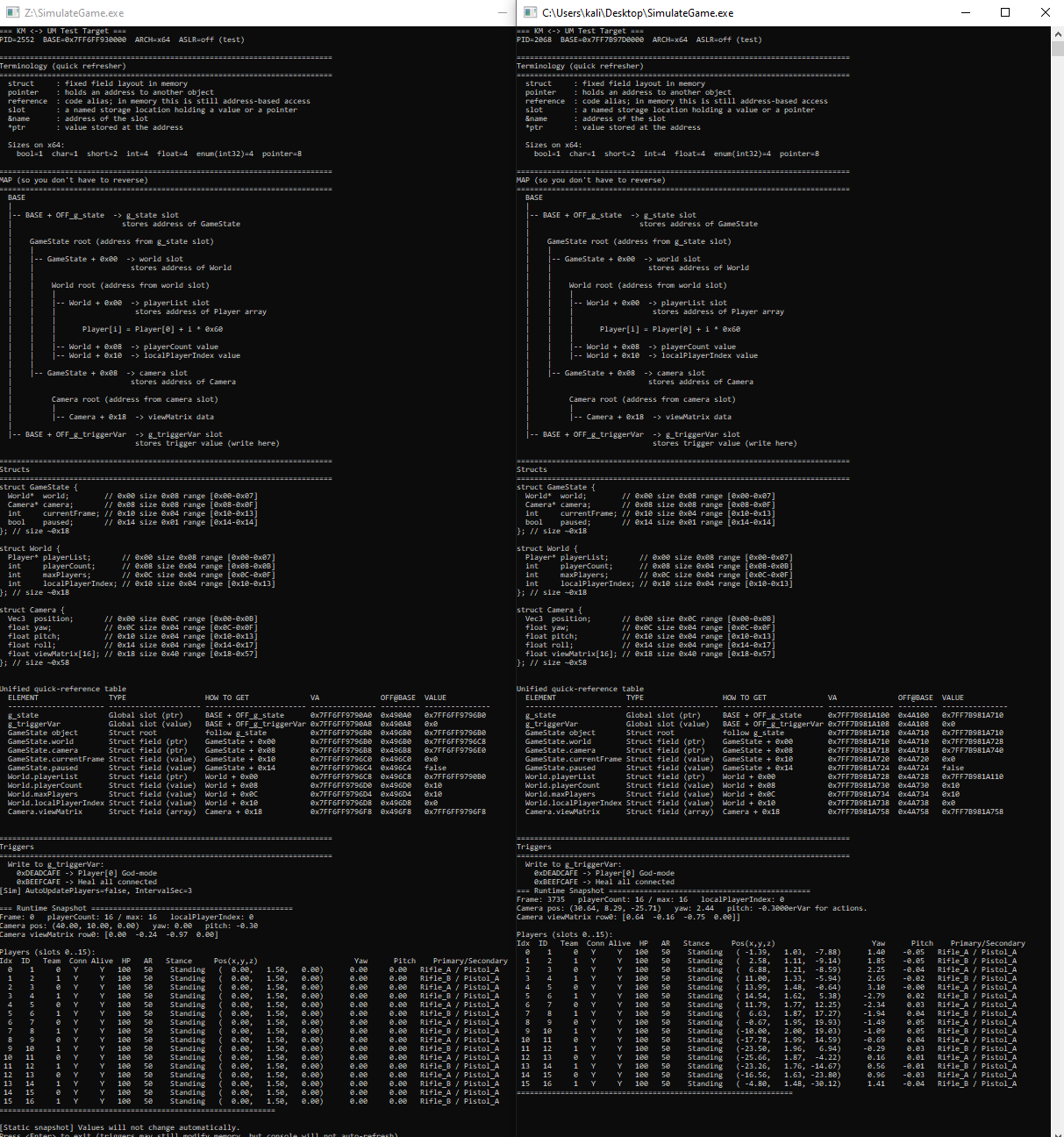
4.1 What You See at Startup
The output when running the sim is intentionally split into three blocks:
-
REFERENCE (static layout / offsets)
The stable layout: structs + offsets, the pointer graph, and trigger definitions. -
RUNTIME (this process instance)
This run’sPIDandBASE, plus a unified table that shows current addresses and values (VA/RVA/VALUE). -
LIVE (HUD / current state)
A readable snapshot of the current world state (players + camera + triggerVar), meant for eyeballing sanity.
Static vs dynamic is also shown in the output:
- Static snapshot mode: the sim prints once and exits on
<Enter>. Values don’t change automatically (but triggers can still mutate memory). - Dynamic mode: a tick thread mutates state over time and a HUD redraw shows the latest snapshot.
4.2 How to Use the Simulator in This Series
You can reuse the same target at different stages of your build. The goal is always the same: prove your reads, writes, and context (PID/base/CR3/translation path) are correct before you add more complexity.
-
External-only warm-up (no kernel)
- Start the sim, note
PIDandBASEfrom the banner. - Use
ReadProcessMemoryto walk the pointer chain and dump a few fields (player HP, playerCount, camera pos). - Write trigger magic to
g_triggerVarand confirm your reads see the change.
- Start the sim, note
-
Kernel-only probe
- From your driver, locate the target
EPROCESSand module base. - Using your kernel read primitive, read the same fields the banner’s table points to.
- If your values disagree, fix your process context / translation path before touching anything “stealth”.
- From your driver, locate the target
-
Full KM↔UM stack
- Use your KM↔UM channel as the bridge (shared memory, IOCTL batching, etc.).
- On each tick, user mode requests “camera + N players”.
- Kernel walks the chain and fills a compact snapshot struct.
- User mode renders/logs based on that snapshot (later, this becomes your overlay/ESP pipeline).
The simulator gives you one stable, controllable process that you can keep reusing as you iterate on loader, driver, communication, and user-mode logic—without dragging a real protected game into every debug session.
5. Conclusion
This part was the “ground floor” for kernel-mode work: the concepts that make the rest of the series possible without guessing. At this point, you should have a clear mental model of:
- what Ring 0 changes (power, risk, and visibility);
- how paging and CR3 shape what a “valid” address even means;
- why process context and IRQL decide what’s safe to do and when;
- the main kernel memory access styles (virtual helpers vs attach vs page-table/physical approaches) and their failure modes;
- how to build a testable lab loop (VMs, snapshots, logging/debugging) instead of debugging inside a real protected game.
Next: Part 4 maps detection surfaces and design tradeoffs (what tends to generate strong signals). Part 5 (planned) focuses on practical kernel debugging and driver development workflows, including reversing techniques for protected targets in a controlled lab.
Demo Videos
| Game | Implementation | Video | Preview |
|---|---|---|---|
| AssaultCube | External | YouTube ↗ | 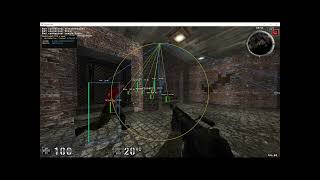 |
| AssaultCube | Internal | YouTube ↗ | 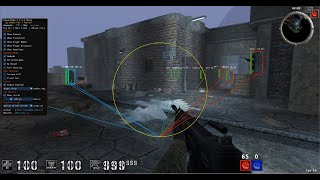 |
| Battlefield 6 | External · Kernel-backed | YouTube ↗ | 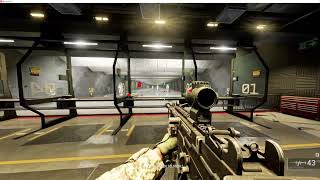 |
| Halo Infinite | External · Kernel-backed | YouTube ↗ | 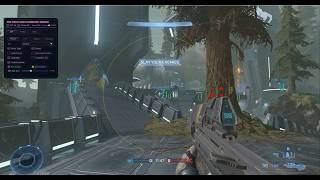 |
| Halo Infinite | Internal · Kernel-backed | YouTube ↗ | 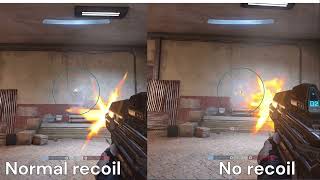 |
| Overwatch 2 | Internal · Kernel-backed | YouTube ↗ |  |
| Marvel Rivals | External · Kernel-backed | YouTube ↗ |  |
| Marvel Rivals | Internal · Kernel-backed | YouTube ↗ |  |
| Counter-Strike 2 | External · Kernel-backed | YouTube ↗ | 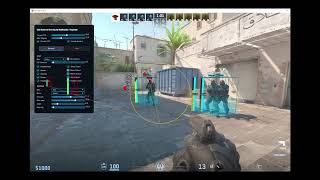 |
| Counter-Strike 2 | Internal · Kernel-backed | YouTube ↗ | 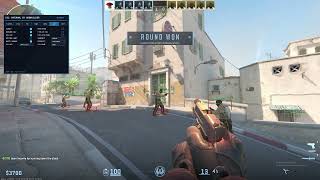 |
Practice — Hack The Box
I created StayInTheBoxCorp, an introductory GamePwn challenge for practicing reversing and memory manipulation in a controlled environment. It is a simple 2D game with a basic anti-cheat system to analyze and work around.
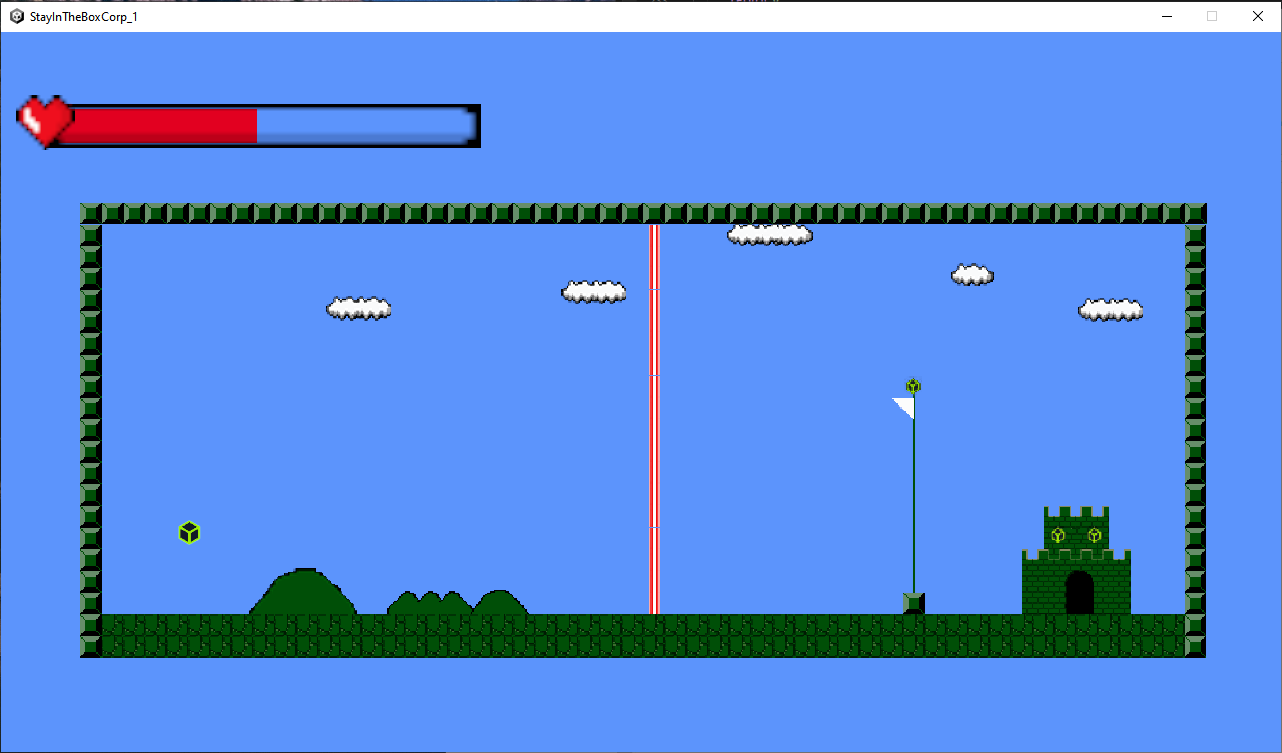
Play StayInTheBoxCorp on Hack The Box →
Contact
For questions, private teaching, custom requests, or consulting inquiries, you can reach me on Discord: papa_is_here. If this article helped you and you want to support future writeups, you can also message me there to send a small tip or buy me a coffee.
Thanks for reading!
- BobBuilder / Raphaël
Copyright © 2025 ADMinions.ca. This work is licensed under the CC BY-SA 4.0 license.