Introduction
Parts 1–3 built up a controlled lab framework:
- Part 1: External user-mode (world-to-screen, basic memory inspection)
- Part 2: Internal user-mode (in-process execution, hooks, integrity implications)
- Part 3: Kernel driver fundamentals (safe KM↔UM plumbing, memory access concepts)
Part 4 is the defender view: what gets measured, which signals are cheap to collect, and how multiple weak signals combine into high confidence.
This post is descriptive. It maps common inspection surfaces and explains why certain patterns correlate with unwanted tampering. It does not include vendor-specific procedures or operational “bypass” steps. The scope is educational and defensive understanding only, on systems you own/control and with explicit permission.
Contact Me
For questions, private teaching, custom requests, or consulting inquiries, you can reach me on Discord: papa_is_here. If this article helped you and you want to support future writeups, you can also message me there to send a small tip or buy me a coffee.
What This Article Covers
Part 4 is a map of detection surfaces and tradeoffs, split into layers:
- Kernel driver footprint – how you arrive in Ring 0, what history that leaves, and which kernel integrity surfaces are high-risk to touch.
- KM↔UM communication – common bridge shapes (IOCTLs, shared sections, events/timers, ports), what each one lights up, and how traffic shape and context affect detection confidence.
- User-mode footprint and injection vantage – external vs internal vs kernel-backed designs, host process choices, module/VAD/thread signals, and timing patterns that look like metronome scraping.
- Overlay and capture surfaces – internal vs external overlays, compositor vs engine capture, why “anti-screenshot” claims are usually half-true at best.
- Input and behavioural signals – input channels and why backend analytics can still flag you even when local inspection looks clean.
Treat it like a checklist. For any technique or architecture change, ask:
- Which tier can see this?
- What new artefacts does it create (handles, objects, threads, callbacks, timing)?
- What failure mode does it add (crashes, hangs, retries, weird edge cases)?
In practice, most “stealth” failures aren’t clever detections; they’re correlation of several weak signals plus instability.
Part 5 will then focus on kernel debugging and reversing workflows to validate these assumptions with real evidence in a lab.
Threat Model Ladder (Who Can See What)
Before you talk about “stealth,” define the observer. Different defenders see different parts of the system, and a claim that is true at one layer can be irrelevant at another.
This ladder isn’t a difficulty ranking. It’s a way to attach any claim to a specific viewpoint.
| Tier | Observer | Where it runs | Typical signals it can use |
|---|---|---|---|
| 0 | Game code | In-process, Ring 3 | Integrity of its own modules/data, internal timing, game state invariants |
| 1 | User-mode anti-cheat | Ring 3 | Processes and handles, modules and VAD layout, suspicious threads, window/overlay metadata, user-mode telemetry |
| 2 | Kernel anti-cheat | Ring 0 | Driver inventory and history, callback registrations, cross-process access patterns, kernel telemetry, timing anomalies |
| 3 | Hypervisor-backed enforcement | Ring -1 | Second-level translation visibility, privileged traps, stronger integrity boundaries |
| 4 | Backend analytics | Off-box | Long-term statistics: reaction times, aim paths, hit distributions, consistency across matches |
How To Read “Stealth” Claims With The Ladder
Whenever you see a technique described as stealthy, pin it to a tier and a surface.
- “Hides from module lists” → tier 1/2 enumeration. Says nothing about memory scanning, history, or backend stats.
- “No user-mode handle to the game” → removes one tier-1 signal, often increases tier-2 (driver + IPC) signals.
- “Physical reads beat guard pages” → true against PTE-level tricks; says nothing about tier-3 visibility.
Two questions keep you honest:
- Which tier(s) does this actually affect?
- What does it trade for that improvement (new artefacts, complexity, instability)?
Quick Misconceptions
- “Kernel means invisible.” Kernel changes what can see you; it does not remove observation or correlation.
- “If it’s not in the module list, it’s gone.” Lists are one view; history and memory state can still show it existed.
- “If local checks look clean, I’m safe.” Backend analytics can still flag machine-like behavior.
- “Anti-screenshot is one thing.” Engine capture and desktop/compositor capture are different pipelines.
Detection Surfaces And Design Tradeoffs
Stealth is the shape your stack presents under inspection:
- how you got into Ring 0;
- which executable pages you own and where they live;
- how KM↔UM communication looks;
- what your user-mode host, DLLs, overlays and threads look like;
- how your input and gameplay show up in telemetry.
Everything below assumes the same lab-only, educational context: the point is to understand what gets flagged.
Kernel Driver Footprint
From the anti-cheat side there is no “cheat driver”, only:
-
how you arrived in Ring 0 and what history that left;
-
which executable pages you own and where they sit;
-
which global knobs you hook or register into;
-
how you read and write game memory;
-
which allocations and tags resolve back to you.
KM↔UM communication is its own section; here we stay inside the kernel.
Load Method, On-Disk Footprint And Driver History
From a defender’s view, driver footprint is not one list. It is inventory + boot-session history + timeline correlation.
Four things commonly matter:
- Live inventory (what appears loaded now)
- Boot-session history (what was present earlier this boot)
- Loader/on-disk attribution (what identity can be tied to a load)
- Timeline (when artifacts appear relative to the protected app)
1) Live Inventory
A common starting point is a “loaded modules” view.
- Example:
PsLoadedModuleList - What it represents: currently loaded kernel modules
- Why it matters: it is easy to query and easy to cross-check
Absence from one live view is not a conclusion; it is one data point.
2) Boot-Session History
Windows can retain “what existed earlier this boot” even if a driver is no longer present now.
- Example:
MmUnloadedDrivers(recent unload history)
Some products also keep their own bookkeeping for correlation. Names and storage vary, but the use is consistent: compare live inventory vs “earlier this boot.”
3) Loader / On-Disk Attribution
Even when a payload is not a normal installed driver, the entry path often leaves attributable artifacts:
- service/loader configuration and associated metadata
- file identity metadata (signer/certificate chain, version info, timestamps)
- telemetry that preserves identity even if files later disappear
4) Timeline Correlation
The sequence alone can be high-signal:
- a driver appears,
- the protected application starts,
- the driver disappears or changes state shortly after.
Practical takeaway: defenders who care correlate inventory, history, and timing. A single list view is rarely the whole story.
Executable Footprint (RX Pages, PE Artefacts, BigPool)
Defenders also look for executable kernel memory that does not have normal provenance.
Cheap checks commonly cluster into three families:
-
Image-like layouts outside normal inventories
Executable regions that resemble a PE image but do not map back to a known signed driver image. -
Unusual or unusually large executable regions
Long-lived RX regions with unclear ownership are a strong pivot for deeper inspection. -
Large allocations correlated with code blobs
Pool telemetry (including “big pool” style views) can highlight large allocations; defenders may correlate those with image-like content or execution.
Practical takeaway: “executable kernel memory without normal provenance” is high-signal because it is cheap to search and easy to correlate with other artifacts.
Hooks, Callbacks And Integrity Surfaces
Some kernel structures are treated as integrity surfaces. PatchGuard, AC and EDR all care if they move.
At a high level, they monitor:
-
core dispatch tables and code (SSDT, IDT, GDT, kernel
.text, MSRs) -
callback / filter registrations (process / thread / image / handle / registry / device)
1. Core Dispatch And Code
| Surface | Typical checks |
|---|---|
| SSDT / shadow SSDT | Does any entry jump into unknown / unsigned RX? |
| IDT / GDT / key MSRs | Tampering, unexpected vectors or handler addresses |
Kernel .text (ntoskrnl, core drivers) |
Hashing or inline hook scans |
Direct patching here is fragile across versions, PatchGuard bait, and loud if anyone is doing integrity checks.
2. Callbacks And Filters
Callback / filter APIs (including IoRegisterPlugPlayNotification) are normal extension points and excellent telemetry:
| Surface | What it tells them |
|---|---|
Ps* / Ob* / image / registry callbacks |
Which drivers watch process / thread / image / handle / registry events, and where the callback lives |
| Filters / PnP / power notifications | Which drivers sit in front of which devices / events |
From an AC view, callback lists are:
-
a roster of drivers interested in sensitive events
-
a chance to check whether each callback pointer is in a known signed image or some anonymous RX blob
Old DKOM tricks (unlinking EPROCESS / ETHREAD, hiding from ActiveProcessLinks, etc.) still fool naive tools that blindly trust lists. Serious products instead:
-
cross-check lists vs scheduler reality (threads that run but “aren’t in any list”)
-
scan raw memory for EPROCESS / ETHREAD patterns instead of trusting pointers
Practical takeaway
Use official extension points sparingly and cleanly. Avoid long-lived core hooks. Treat heavy DKOM and cross-struct surgery as lab-only experiments, not a stealth strategy.
Memory Access Surface And Crash Hygiene
Two questions matter:
-
how you touch game memory;
-
what happens when something goes wrong.
1. High-Level Syscall Hammering
Naive patterns:
-
hammering
ZwReadVirtualMemory,ZwWriteVirtualMemoryorMmCopyVirtualMemoryon a protected process at 60+ Hz -
opening the game with
PROCESS_ALL_ACCESSand doing one syscall per field
Both are trivial to instrument from UM and KM.
2. Lower-Profile Access Patterns
Lower-signal design:
-
implement your own virtual / physical R/W:
-
VA→PA translation
-
MmCopyMemoryor MDL-backed mappings -
instead of a high-level syscall per tiny read
-
-
expose a narrow KM API:
-
read,write, maybe pointer-chain or VA→PA -
not “arbitrary kernel R/W anywhere”
-
-
batch work:
-
one command per frame with all reads / writes you need
-
instead of one syscall per value
-
MmCopyMemory vs MDLs:
-
MmCopyMemory-
good for one-off or low-rate reads
-
no persistent mappings; it walks page tables and copies bytes
-
-
MDL +
MmMapLockedPagesSpecifyCache-
good when you reuse the same physical region many times
-
gives CPU caching (
MmCached) for sequential reads -
one mapping can support both read and write
-
Common pattern: MmCopyMemory for translation and occasional reads; MDL mappings for high-frequency bulk access.
Advanced Footprint Tricks (BigPool, MDLs, PFNs, APC Queues)
You will see advice like:
-
“Don’t use BigPool”
-
“Use MDL allocs instead”
-
“Clean the PFN”
-
“Clean APC lists”
This is what that really means.
-
“Don’t use BigPool”
Avoid a giantExAllocatePool(NonPagedPoolNx, big)allocation that shows up inSystemBigPoolInformationas an anonymous nonpaged region starting withMZand clearly containing a whole image. -
“Use MDL alloc”
Back hidden images / buffers with MDL-described pages (MmAllocatePagesForMdl(Ex)orMmProbeAndLockPages+MmMapLockedPagesSpecifyCache) so they show up as locked pages in the PFN DB instead of a single big pool allocation. -
“Clean PFN”
Tamper with_MMPFNentries so PFN→owner attribution fails or looks benign. Undocumented, build-specific, and firmly in rootkit territory. -
“Clean APCs”
WalkKTHREAD->ApcState, find yourKAPCs, and unlink them so APC queue snapshots do not show your injection. Layout-dependent, easy to break scheduler invariants, and inherently suspicious.
From a defender’s perspective, these are perfect signals: exactly the kind of behaviour you want to detect and treat as likely malicious.
For this series, these are out of scope to implement:
-
BigPool vs MDL vs PFN tweaking is about how hidden your image / buffers are, not paging / CR3 / VA→PA mechanics
-
PFN / APC cleaning means poking raw memory-manager and scheduler structures; it is fragile across Windows builds, easy to BSOD, and inherently noisy
Practical takeaway
Treat these as patterns to recognise, not checkboxes to tick. You do not need PFN / APC games for a robust research driver.
Memory Layout, VADs And Residency
User mode thinks in regions; the kernel ultimately cares about pages.
For user-mode regions (game, controller, internal DLLs), an AC can:
-
walk VADs (
VirtualQueryExorEPROCESS.VadRoot) and flag:-
anonymous RWX with no backing file (classic injected shellcode)
-
private RX with PE-like layout not in module lists (manual-mapped DLLs)
-
suspicious
VirtualProtectpatterns (frequent RW→RX / RWX→RX flips)
-
Your kernel pools and RX pages:
-
never appear in any process VAD tree
-
are visible via:
-
PTE scans
-
driver list scans
-
pool scans
-
So VAD analysis mostly hits your user-mode payloads and helpers, not the driver itself.
Residency And VA→PA
Once you do VA→PA, residency matters:
VA (user or kernel pointer) │ ▼ PTE (present bit, flags, PFN index) │ ▼ PFN entry (_MMPFN) │ ▼ Physical frame (RAM)
-
present = 1→ page is resident; PFN points to a valid frame -
present = 0→ page is not resident; that PFN is not usable RAM
Implications for a VA→PA walker:
-
hot data (local player, entity list, view matrices) tends to stay resident → good targets
-
cold regions get paged out → translation must detect “not present” and fail cleanly
-
knowing a VA does not guarantee valid bytes; sometimes the correct answer is “this page is not resident”
Detection Angle
There is also a theoretical angle:
-
normal virtual reads update accessed / dirty bits and working sets
-
pure physical reads bypass PTEs and do not touch those bits
In principle, someone can look for regions the game never touches but which get hammered via physical access.
Practical takeaway
Respect present bits. Treat “page missing” as normal. Do not crash just because you assumed “if I know the VA, I own the bytes”.
KM↔UM Communication Footprint
The KM↔UM link is the nervous system of your tool: user mode sends commands, the driver does work and returns data.
For an ESP/aimbot-style setup, you want a bridge that:
-
refreshes data roughly 15–30 times per second
-
runs one bounded batch per tick (no unbounded work in a single call)
-
avoids a dedicated cheat worker thread whose only job is waiting for commands
-
has a natural traffic shape (tied to real work, not a 1 kHz benchmark loop)
-
fails safely on bad input (no hangs, no infinite loops inside the kernel)
-
is clearly owned (only your controller realistically talks to it)
When you pick a KM↔UM design, you are really choosing:
-
execution context: controller process, System, or “whatever thread hit the hook”
-
IRQL: PASSIVE_LEVEL (attach allowed, waits allowed, pageable code) vs DISPATCH_LEVEL (no waits, non-paged only)
-
visible artefacts: devices, DOS names, sections, events, ports, threads, timers, DPCs, callbacks
-
traffic shape: 20–30 Hz ticks, small bursts, or opportunistic triggers
Your memory access strategy (attach vs physical), batching, error handling and crash profile all hang off this choice.
Common Bridge Shapes
| Method | Shape (how it works) | Pros | Detection surface |
|---|---|---|---|
| Device + IOCTL | Controller opens \\.\Device and calls DeviceIoControl; command is in IOCTL buffer or shared section |
Simple, documented, PASSIVE in controller context |
Device object + DOS symlink; service key; controller handle; IOCTL pattern (size/frequency) |
| Shared section + IOCTL/syscall doorbell | Section mapped into UM + KM; UM fills commands/results; IOCTL or syscall used as “doorbell” | High throughput, easy batching, no kernel thread required | Same as device/syscall, plus section object/handles; hot UM thread hammering the same region |
| Shared section + event doorbell | Commands/results live in shared memory; UM writes then signals event; KM waits on KEVENT or hooked path |
Natural push model, low latency | Event object + handles; 15–30 Hz signals; either driver-owned worker thread or patched event-related syscall path |
| DPC/timer + shared state | Driver’s timer/DPC fires at fixed rate; each tick reads shared state and maybe runs small work | No explicit UM device call; simple periodic tick | Periodic timer/DPC owned by your driver; DISPATCH-level constraints; very regular timing profile |
| DPC/timer → work item | Timer/DPC only queues a work item; real work happens in work item at PASSIVE_LEVEL |
Full API surface via timer-based doorbell | Recurring work items in your driver; call stacks into your code on a schedule |
| ALPC port | KM endpoint exposes ALPC port; UM connects and sends commands as messages | Rich IPC semantics; can mimic “service-style” behaviour | Named port object; endpoints; unusual ALPC port in a game context; message rate/size profile |
Hooked syscall / .data pointer |
You patch a syscall target or kernel .data pointer; UM calls original API with magic args |
No device or obvious IPC; can trap UM thread in kernel | Patched function pointer; stacks from common syscalls into anonymous RX; syscalls that sometimes take much longer than usual |
| Socket / named pipe | UM talks to local pipe or loopback socket; KM-side code acts as server or piggybacks on an existing one | Easy to prototype; can ride on “service” processes | Pipe/socket endpoints; driver-owned worker threads; traffic pattern that doesn’t match what the “legit” service normally does |
You can study public implementations for most of these shapes::
- IOCTL: ioctl-km, ioctl-um
- Callback-based: callback-km, callback-um
- Dispatch-path: dispatch-km, dispatch-um
- Named pipe: named-pipe-km, named-pipe-um
- Shared memory: shared-memory-km, shared-memory-um
- Socket: socket-km, socket-um
- Pointer-swap hook / syscall-path: Poseidon, DataptrHooks ReadWriteDriver
The point here is not to copy their code; it’s to understand which surfaces each shape lights up and what that means for detection.
Evaluating A Communication Design
Run every KM↔UM design through the same checklist.
1) Latency and capacity
-
Can it comfortably handle 15–30 round-trips per second?
-
Is each command bounded in time, or can one bad batch stall the driver?
You want:
Bad batch  → one failed tick, driver recovers
Not       → bad batch wedges the OS
If a single malformed command can block the path forever, the design is not finished.
2) Context and IRQL
Where does the heavy work actually run?
PASSIVE_LEVEL in controller context:
-
can KeStackAttachProcess, call MmCopyMemory, wait on events, use pageable code
-
easiest to reason about and debug
-
natural fit for IOCTL plus shared memory doorbell
DISPATCH_LEVEL (DPC/timer):
-
no waits, no blocking, no KeStackAttachProcess
-
non-paged code and data only
-
pushes you towards physical-access style reads and short, bounded routines
If you pick a DPC/timer or “arbitrary thread” path, you design around those constraints up front. Discovering IRQL bugs via random BSODs is the wrong direction.
3) Footprint and threads
What long-lived artefacts does the design require?
-
device objects, DOS names
-
sections, events, ALPC ports
-
kernel threads, timers, DPCs, work items
Red flag pattern:
Driver X
  └── 1× kernel thread
        └── forever: KeWaitForSingleObject(CheatEvent)
                     ProcessBatch()
That is easy to spot if anyone looks at driver-owned threads.
Less noisy alternatives:
-
reuse existing entry points as doorbells: dispatch routines, callbacks, syscalls
-
if you do own threads or timers, make them look like generic driver plumbing (periodic maintenance, cleanup), not a dedicated cheat loop
4) Access control
Who is allowed to talk to the bridge?
-
devices, sections, events, ALPC ports, named pipes all have security descriptors
-
\\.\CheatDevicethat is world-writable orGlobal\CHEAT_SECTIONthat any process can map is both unsafe and trivial to flag
Baseline:
-
ACL the surfaces so only your controller (or a very small, plausible set of identities) can reach them
-
do not expose a free IPC endpoint that any process can probe to fingerprint you
User-Mode Architecture And Footprint
From the anti-cheat’s point of view, your user-mode logic shows up as:
-
a separate process with handles to the game
-
code running inside the game
-
something talking to a driver that looks like a helper
Each style has its own footprint. There is no invisible option; you are picking which set of signals you are willing to own.
Three Basic Shapes
Pure external:
-
standalone process (your tool)
-
opens the game with OpenProcess, uses ReadProcessMemory / WriteProcessMemory (or native equivalents)
-
may draw its own overlay window
What the AC sees: process name and path, handle and access mask, RPM/WPM/syscall pattern, overlay window state.
Pure internal:
-
code runs inside the game (DLL injection, manual map, patch-only edits, engine scripting)
-
hooks engine functions, render, input
-
no separate cheat process
What the AC sees: extra modules/VADs, modified code/data, unknown call stacks in the game, extra threads.
Kernel-backed:
-
controller process talks to your driver
-
driver does the heavy memory work; controller mostly draws and runs logic/UI
-
game may never see a full-access user-mode handle
What the AC sees: the controller process (handles, IPC, overlays) plus whatever your driver does on the kernel side (kernel footprint and KM↔UM communication).
External-Only Cheats: Process And Handle Signals
A pure external cheat (Part 1 style) is just:
-
a normal Windows process
-
with a handle to the game
-
spamming cross-process memory APIs
Cheap questions from the AC:
-
which processes have handles to the game
-
what access masks they requested (PROCESS_VM_READ, PROCESS_VM_WRITE, PROCESS_ALL_ACCESS, etc.)
-
how often they hit ReadProcessMemory, WriteProcessMemory, NtQueryVirtualMemory, and related APIs
Basic hygiene if you are doing it anyway:
-
minimum access
If you only read, do not ask for PROCESS_ALL_ACCESS. If you write, you still usually do not need every right Windows exposes. -
batching
One RPM per field is a memory scraper signature. One call per frame that reads viewmatrix + local player + entities is both faster and less noisy.
Many modern kernel anti-cheats simply cut this off: untrusted processes do not get to open the game at all. In this series, external-only is the reference point you understand, not the final design.
Host Process Choice And Injection Vantage
If you go beyond pure external and either:
-
run code inside the game, or
-
use a kernel-backed controller,
you have to decide where that logic lives and how it gets there.
Common host choices:
-
game process – classic internal cheat
-
trusted overlay – Discord / Steam / NVIDIA / OBS host
-
launcher or helper – something that already talks to the game
For a kernel-backed design, the controller itself also needs a home:
-
its own obvious process (for example
GameTool.exe) -
injected into the game
-
injected into a plausible helper or overlay
Detection trade-offs:
-
a fresh, weirdly named process that appears only when game + driver are active is cheap to flag
-
a trusted overlay that suddenly ships unknown code is harder to reason about, but overlay vendors can be hashed and verified
-
hosting everything inside the game removes external handles, but now you live under game and AC integrity checks, and any crash looks like “the game faulted in unknown code”
There is no free host. You decide which weirdness you are willing to own.
Execution Model And Timing
Even if the host looks plausible, when and how your code runs leaks intent.
Loud patterns:
-
a helper thread that spins with almost no sleep, constantly calling:
-
DeviceIoControl
-
ReadProcessMemory / WriteProcessMemory
-
a hooked syscall
-
or your KM bridge once per value instead of once per frame
-
-
full-speed activity in menus, loading screens, main menu, or when the window is minimised
Better patterns:
Once-per-frame batch:
-
hook a render or engine-tick function (swapchain Present, main update loop)
-
once per frame:
-
build a batch
-
send to the driver
-
wait for the result
-
draw
-
return
-
Helper thread with a real cadence:
-
wake at a rate tied to vsync or frame rate, not a fixed 1000 Hz loop
-
on wake: batch → send → process → sleep
From outside, this looks like extra work during render/update rather than a mystery thread stress-testing a kernel device.
For the lab framework, one batch per frame is the default: easy to reason about and does not look like a synthetic benchmark.
Naming, Metadata And Config Hygiene
Even if behaviour is acceptable, your names and strings can still incriminate you.
Cheap checks:
-
process names containing aimbot, esp, cheat, bf6hack, and similar
-
paths like
C:\Users\You\Desktop\BF6Hack\orD:\Games\Cheat\ -
pipes, sections, events named
AIMBOT_PIPE,ESP_SECTION,CHEAT_EVENT -
config/env/CLI flags like
--cheat,--aimbot,CHEAT_MODE=1
Surfaces to clean up:
-
binary names and paths
Release builds do not ship asCheatDriver.sys,esp_overlay.exe,BF6Hack.dll. -
strings and metadata
Strip cheat names, debug prints, and joke vendor names from version info. Do not ship dev-only logs in release. -
IPC identifiers
Use neutral names for pipes/sections/events, notGlobal\ESP_SHARED_MEMORY. -
config and flags
No ENABLE_AIMBOT or CHEAT=1 sprinkled across configs and environment variables.
None of this is stealth. It just removes the lowest-effort “grep for cheat keywords” layer.
Operational Hygiene
It is not just what runs; it is when and for how long.
Clean behaviour:
-
start the controller when the game (and, if present, the anti-cheat) is actually running
-
initialise once, run bounded work while the game or match is active, and shut down when:
-
the game exits
-
the driver unloads
-
something unexpected happens
-
Noisy behaviour:
-
a helper that runs 24/7 polling for the game every few milliseconds
-
waves of failed CreateFile / DeviceIoControl attempts against
\\.\YourDevicewhen no game is running -
repeated attempts to talk to a driver that is not loaded this boot
Rule of thumb:
Attach late, do bounded work, detach early.
Do not leave half-alive infrastructure hanging around just in case.
Internal Injection Methods
Internal cheats run inside the game process. That can happen via DLL injection, shellcode blobs, patch-only edits, or engine scripting.
From the anti-cheat’s point of view you only really change two things:
- How you deliver code – which APIs/paths you touch to get bytes into the game.
- How it looks at rest – clean module, weird PE blob, anonymous RX, or just altered game code.
Higher scores = easier to detect if anyone is looking.
| # | Method | Family | How it works in one line | Detectability |
|---|---|---|---|---|
| 1 | CreateRemoteThread + LoadLibrary | Classic remote | Write DLL path into target and start a new thread at LoadLibrary |
Very easy |
| 2 | NtCreateThreadEx / RtlCreateUserThread + LL | Classic remote | Same as #1 but using native thread-creation APIs | Very easy |
| 3 | User-mode APC injection | Remote & APC | Queue APC in a target thread so it eventually runs your loader | High |
| 4 | Early-bird APC | Remote & APC | Queue APC before the process runs user code; your loader fires at startup | High |
| 5 | Thread hijacking (Suspend/SetContext/Resume) | Remote & hijack | Suspend an existing thread, change RIP to your stub, then resume | Medium–High |
| 6 | SetWindowsHookEx-based injection | Hook-based | Register a Windows hook that forces the system to load your DLL | High |
| 7 | AppInit_DLLs / AppCertDlls / similar | Legacy autoload | Use global Windows auto-load mechanisms | Very easy |
| 8 | IFEO / AppCompat / shim-based injection | Bootstrap | Abuse debugger/shim configuration so your helper starts with the game | High |
| 9 | DLL search-order hijack (side-loading) | Hijack/Proxy | Drop a fake DLL with the right name earlier in the search path | Medium–High |
| 10 | Proxy DLL (export-forwarder) | Hijack/Proxy | Ship a “look-alike” DLL that forwards exports to the real one | Medium–High |
| 11 | Game/launcher loader helper abuse | Hijack/Proxy | Trick the game’s own loader helper into loading your DLL | Medium |
| 12 | Manual mapping (VirtualAllocEx + manual PE) | Stealth DLL | Allocate memory and perform relocation/import fixups yourself | Medium |
| 13 | Reflective DLL / in-memory loader | Stealth DLL | Push a DLL image into memory that relocates itself using a reflective loader | Low–Medium |
| 14 | Section-based injection (MapViewOfSection – data) | Section inj. | Create a shared section, map into both processes, and execute code from the view | Medium |
| 15 | Section-based injection (SEC_IMAGE / image-like) | Section inj. | Map an image-style section so it looks closer to a real module | Low–Medium |
| 16 | Process hollowing / image replacement | Process-level | Start a benign process and replace its in-memory image with your own | High |
| 17 | Overlay piggyback (Discord/NVIDIA/Steam/etc.) | Piggyback | Hijack a trusted overlay that already injects into games | Low–Medium |
| 18 | In-engine script / console / mod system | In-engine | Use official scripting/mod APIs to run logic inside the game | Low |
| 19 | Module-less patching / code caves only | Patch-only | Never load a DLL; just patch existing game code and use code caves | Medium–High |
| 20 | Kernel manual mapping into target | Kernel | Have a driver map or patch code directly into the game’s address space | Low–Medium |
| 21 | Hypervisor/EPT overlay-based injection | Hypervisor | Use a custom hypervisor to overlay/modify code as the game sees it | Low |
Demo on kernel DLL Injection:
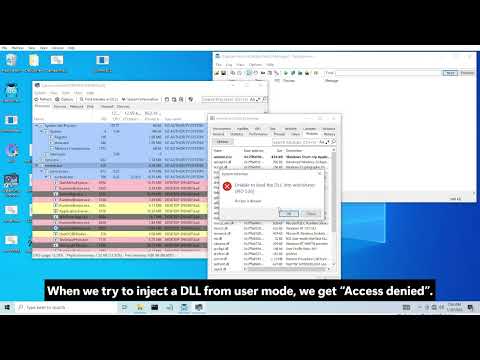
You do not need a giant injection-method catalogue here; what matters is the shape:
-
public injection API trick – trivial to pattern-match
-
looks like a normal module load – might pass until someone adds integrity checks
-
blends into an existing trusted host – shifts work to hashing the host
-
kernel-side write into address space – shifts the problem to detecting the driver and its memory access
The point is not that one is safe; it is which surfaces you move the risk to.
Internal Hooks And Integrity Checks
Once your code is inside the game, it still needs a way to run:
-
inline hooks (detours)
Overwrite the first bytes of a function with a branch to your stub, then jump back. -
IAT/EAT hooks
Patch import or export tables so calls to a function go through your handler first. -
vtable or engine hooks
Rewrite virtual function pointers inside engine objects; common for render, entity, UI, input. -
render and input hooks
Swapchain Present, engine render passes, input dispatch paths. Internal overlays and aimbots often sit here.
On the defender side, realistic checks include:
-
hashing selected .text regions and comparing to reference builds
-
comparing in-memory images to the vendor’s files on disk
-
inspecting IAT/EAT entries for unexpected targets
-
walking vtables to see if entries still point into the right modules
-
logging which locations call sensitive engine/OS functions
Design rules that fit this series:
-
prefer official extension points (scripts, plugins, callbacks) when they exist
-
keep hooks small in number and scope; a handful of well-chosen sites beats dozens of random ones
-
place hooks where the engine would naturally have extension points (render/update/UI), not in random Win32 APIs just because they are easy to detour
-
keep hook stubs minimal: check a couple of flags, call your logic, return; do not embed half the cheat in the detour itself
Internal overlays are just “render hook → drawing code”. The same integrity and placement rules apply.
Internal Footprint And Hygiene
Once you are internal with hooks in place, stealth is mostly about how the process looks when someone inspects it, not the injection trick you used an hour ago.
Things an AC can check:
-
modules and integrity
-
extra DLLs that only ever appear when the game runs
-
images whose .text hashes do not match the vendor’s build
-
-
executable regions and VAD layout
-
private RX/RWX regions with PE-like layout not in module lists
-
long-lived RWX pages
-
executable shared sections mapped into game + helper
-
-
threads and stacks
-
threads whose start addresses land in anonymous RX regions
-
hot threads that keep running even in menus
-
stacks that constantly bounce through unknown code
-
-
API usage
-
unknown code hitting memory-management APIs (VirtualAlloc, VirtualProtect, and similar) in odd patterns
-
a small set of functions calling your KM bridge every frame
-
Overlay And Visual Footprint
Once you start drawing ESP, you’re leaving visual artefacts somewhere. The only interesting questions are:
- which stack sees them (engine, compositor, or both), and
- how easy it is to mechanically separate your overlay from normal UI.
External Overlay Windows And DWM
A user-mode AC or helper can:
-
EnumWindows/EnumChildWindowsand collect HWNDs - query styles via
GetWindowLongPtr(WS_EX_LAYERED, WS_EX_TRANSPARENT, WS_EX_TOPMOST, etc.) - grab bounds with
GetClientRect/GetWindowRect - sample behaviour over time (focus, z-order, visibility changes)
Patterns that don’t look like a normal app:
-
WS_EX_LAYERED | WS_EX_TRANSPARENT | WS_EX_TOPMOSTon a borderless window that- perfectly matches the game’s client rect
- starts/stops with the game
- never takes focus, never shows any normal interaction
- “overlay” process with no visible taskbar presence, no normal menus, but permanent topmost coverage of a single game
Engine screenshots only see whatever the game renders into its swapchain. Desktop capture (DWM thumbnail APIs, DXGI desktop duplication) sees the compositor output: everything that makes it to the desktop, including any layered overlay you’ve stacked above the game.
You can hide from engine capture by staying external. You do not hide from the desktop. DWM still knows there is a transparent, click-through, always-on-top surface stapled over the game.
TLDR
- avoid the full-screen stencil: a slightly smaller or padded overlay is less trivial to pattern-match
- don’t run a window that never changes focus state, never gets input, and never behaves like UI
- don’t blindly combine every “cheat overlay” flag just because a paste did (
LAYERED + TRANSPARENT + TOPMOST + NOACTIVATE)
Kernel GDI Rendering
“Draw from kernel with GDI so the game never sees it” is another meme.
Reality:
- GDI still goes through the windowing stack (
win32kfull.sys/win32kbase.sysand friends). - Engine capture won’t see GDI-drawn ESP, because it only dumps the game’s own render targets.
- Desktop / compositor capture will see it, because it’s part of the composed desktop.
From an AC viewpoint, a kernel entry point that drives GDI calls is just “some code in Ring 0 poking the same graphics stack”. It shifts where you’re visible, not if you’re visible.
For this series, just treat “kernel GDI overlay” as one more overlay placement option. It doesn’t grant immunity to screenshots.
Framework Fingerprints (ImGui And Similar)
ImGui and similar toolkits are extremely common in public pastes, so they’re easy to fingerprint.
Easy levers:
- Strings: “ImGui”, demo window labels, INI keys (
[Window][Debug##Default],[Window][Dear ImGui Demo]), default font names. - Typical call patterns: hooks that call
ImGui::NewFrame,ImGui::Render,ImGui_ImplDX11_*,ImGui_ImplWin32_*in a fixed sequence. - Binary layout: the default font atlas, INI path, and static state structures show up the same way unless you touch them.
If you keep ImGui:
- remove the demo window, sample overlays, and test widgets in release builds
- rename obvious strings and INI sections; don’t ship with the default INI hierarchy
- customise fonts/atlas enough that you’re not byte-for-byte identical to public dumps
Long-term, a tiny custom immediate-mode UI that only draws what you need is harder to classify than “the same ImGui stack as every YouTube cheat menu”.
Visual Style And Screenshot Stealth
If frames ever get captured, the overlay’s look is its own fingerprint. “Looks like a UC paste” is a real classifier, not a meme. You don’t need fake subtlety in a lab, but you also don’t need to hand defenders a dataset of immaculate rage screenshots.
Saner guidelines:
- treat it like a debug HUD: a few pieces of text (name, distance, maybe health), small FOV markers, low-contrast lines
- don’t show every feature, on every entity, all the time
- avoid the meme menu UX; a small settings panel is enough
The point isn’t to pretend nothing is there; it’s to avoid a situation where any random frame is instantly usable as free marketing material for “your cheat v1.0”.
Engine Versus Compositor Capture
At the end of the pipeline there are only two ways to answer “what was on screen?”:
- Engine capture – the game/AC asks its renderer to dump a frame (screenshot key, internal capture API, debug capture). Sees what the engine drew into the swapchain.
- Desktop/compositor capture – DWM / DXGI desktop duplication / screen recorders grab the composed desktop. Sees everything the compositor blended: game, overlays, OS chrome.
Most real deployments can do at least one of these; some can do both. You’re not going to win a long game by trying to erase frames. The realistic goal is: if something is captured, it doesn’t scream “blatant cheat” on sight.
Input, Aimbot And Behavioural Footprint
Even if your kernel, controller and overlay are boring, the way you actually play still leaks. That’s where server-side analytics live.
There are two separate questions:
- through which channel did the game receive input, and
- does the long-term behaviour look human.
Input Channels
The usual options:
-
OS-level simulated input
-
SendInput,mouse_event, DirectInput/XInput shims. - Events flow through the normal HID path.
- Trivial to log at the API boundary or via kernel input filters.
-
-
Driver / virtual HID
- Custom filter drivers, virtual mice/keyboards, vendor macro engines.
- To the game: “real device with suspiciously clean behaviour.”
- Harder to distinguish from genuine hardware; behaviour becomes the main signal.
-
Direct game state edits
- Write view angles, camera state, or movement commands in memory (
usercmd/input_t-style buffers). - No corresponding mouse/keyboard events.
- If someone correlates “view snapped and shot fired” with “no input path” it’s obvious.
- Write view angles, camera state, or movement commands in memory (
-
External hardware
- Microcontroller or second machine emitting HID events.
- Software-only checks see “just another mouse”, but backend stats still see machine-like timing and paths.
From an AC or backend perspective you can:
- correlate “enemy becomes hittable” (line-of-sight, visibility, non-obstructed) with “aim change + fire”
- look for aim changes or fire events that don’t traverse the expected device / driver path
- profile per-device behaviour (DPI, report rate, jitter) and see if it behaves like a real human-operated mouse
The input path you pick only decides which layer has the easier job. It doesn’t remove the behavioural signal.
Behavioural Analytics
Once you’re on the server, you have data per player and per weapon across hundreds of games. That’s hard to spoof by “being careful this match”.
Metrics that matter:
- Reaction time: from “enemy became shootable” (visible + in FOV + no obstruction) to “aim aligned and shot fired”, adjusted for ping.
- Aim path shape: smooth, noisy arcs with overshoot and correction versus sharp, piecewise-linear segments that land exactly on heads.
- Hit distribution: head/body ratio per weapon and per distance, especially first-shot accuracy.
- Consistency: how stable those numbers are day to day; humans get tired and inconsistent, scripts don’t.
Dumbing it down (smooth aim, FOV limits, capped turn speed, intentional misses, body-shot bias) doesn’t make you “safe”; it just pushes you out of the most trivial bucket. At scale this all turns into a statistics/ML problem: if you live in the extreme tail of the distribution for too many metrics, you stand out.
Conclusion
Part 4’s theme is that “stealth” isn’t a single trick—it’s the sum of hundreds of small engineering decisions:
-
what your driver does (and just as importantly, what it doesn’t do);
-
which kernel surfaces you touch (callbacks, globals, mappings, timing paths);
-
how your KM↔UM bridge behaves (batching, event-driven execution, backpressure);
-
how your user-mode side presents itself (process model, API patterns, lifecycle);
-
how you render output (overlay strategy, sync, and visibility assumptions);
-
and how you fail (timeouts, watchdogs, safe shutdown, “stop making it worse” defaults).
If you take one practical lesson from this chapter, make it this: a stable, boring architecture beats a clever one. Most failures aren’t “the defender is unbeatable”—they’re self-inflicted: unsafe contexts, noisy loops, fragile hooks, sloppy lifecycle management, and designs that light up multiple high-signal surfaces at once.
This material is for learning and defensive understanding. Use it on systems you own and control, and don’t apply it to live games or environments you don’t have explicit permission to test.
Demo Videos
| Game | Implementation | Video | Preview |
|---|---|---|---|
| AssaultCube | External | YouTube ↗ | 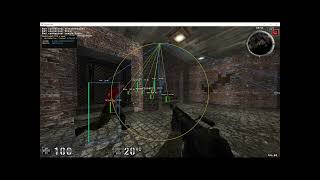 |
| AssaultCube | Internal | YouTube ↗ | 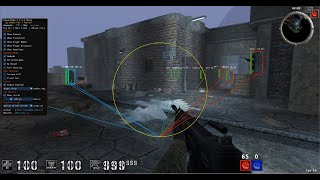 |
| Battlefield 6 | External · Kernel-backed | YouTube ↗ | 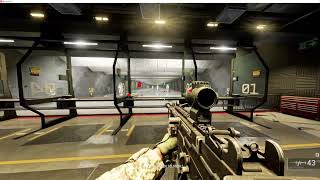 |
| Halo Infinite | External · Kernel-backed | YouTube ↗ | 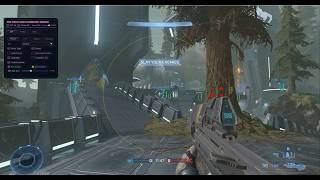 |
| Halo Infinite | Internal · Kernel-backed | YouTube ↗ | 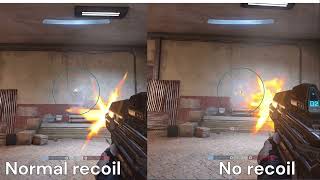 |
| Overwatch 2 | Internal · Kernel-backed | YouTube ↗ |  |
| Marvel Rivals | External · Kernel-backed | YouTube ↗ |  |
| Marvel Rivals | Internal · Kernel-backed | YouTube ↗ |  |
| Counter-Strike 2 | External · Kernel-backed | YouTube ↗ | 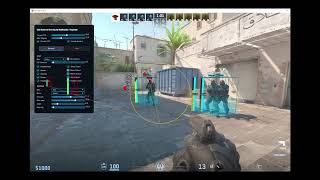 |
| Counter-Strike 2 | Internal · Kernel-backed | YouTube ↗ | 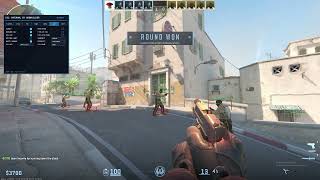 |
Practice — Hack The Box
I created StayInTheBoxCorp, an introductory GamePwn challenge for practicing reversing and memory manipulation in a controlled environment. It is a simple 2D game with a basic anti-cheat system to analyze and work around.
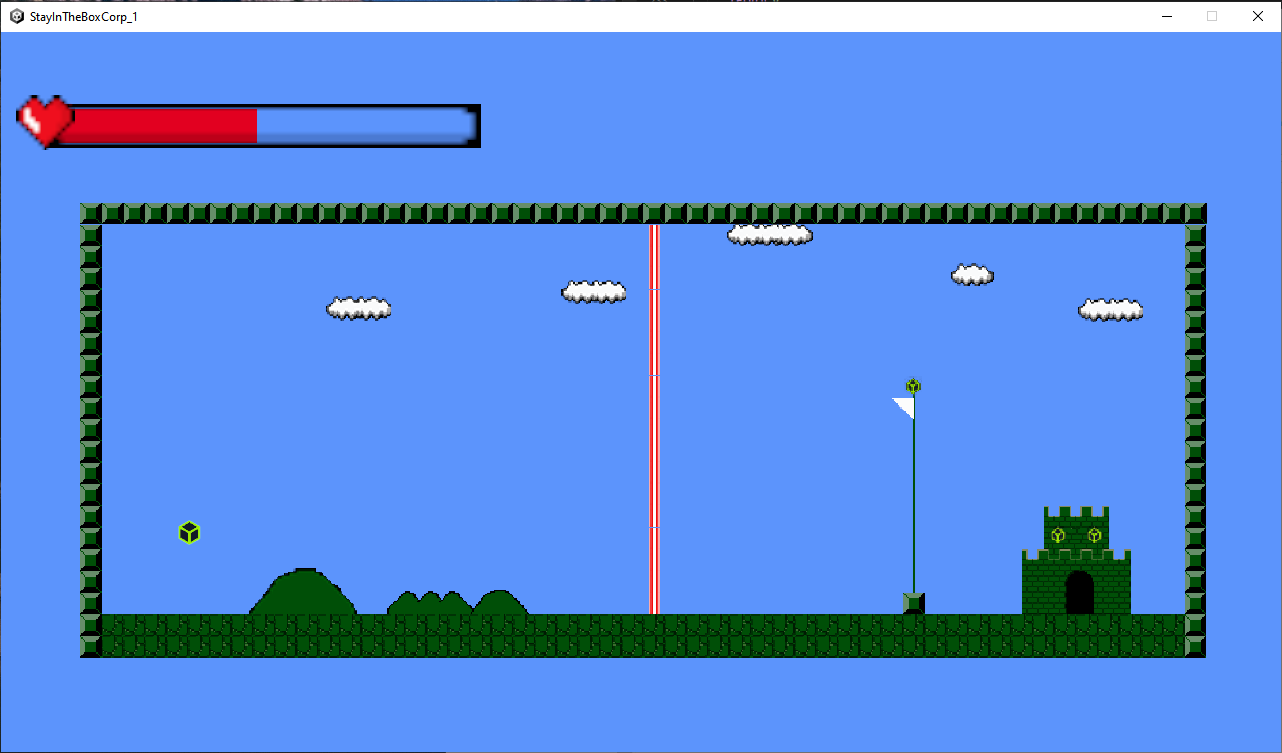
Play StayInTheBoxCorp on Hack The Box →
Contact
For questions, private teaching, custom requests, or consulting inquiries, you can reach me on Discord: papa_is_here. If this article helped you and you want to support future writeups, you can also message me there to send a small tip or buy me a coffee.
Thanks for reading!
- BobBuilder / Raphaël
Copyright © 2025 ADMinions.ca. This work is licensed under the CC BY-SA 4.0 license.